
Top Picks at a Glance

Herman Miller Aeron Chair

FlexiSpot E7 Pro Standing Desk
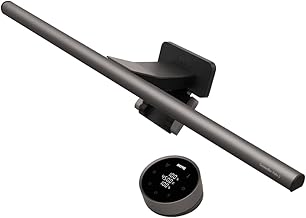
BenQ ScreenBar Halo Monitor Light
At A Glance: The Ultimate Ergonomic Home Office Setup for 2026
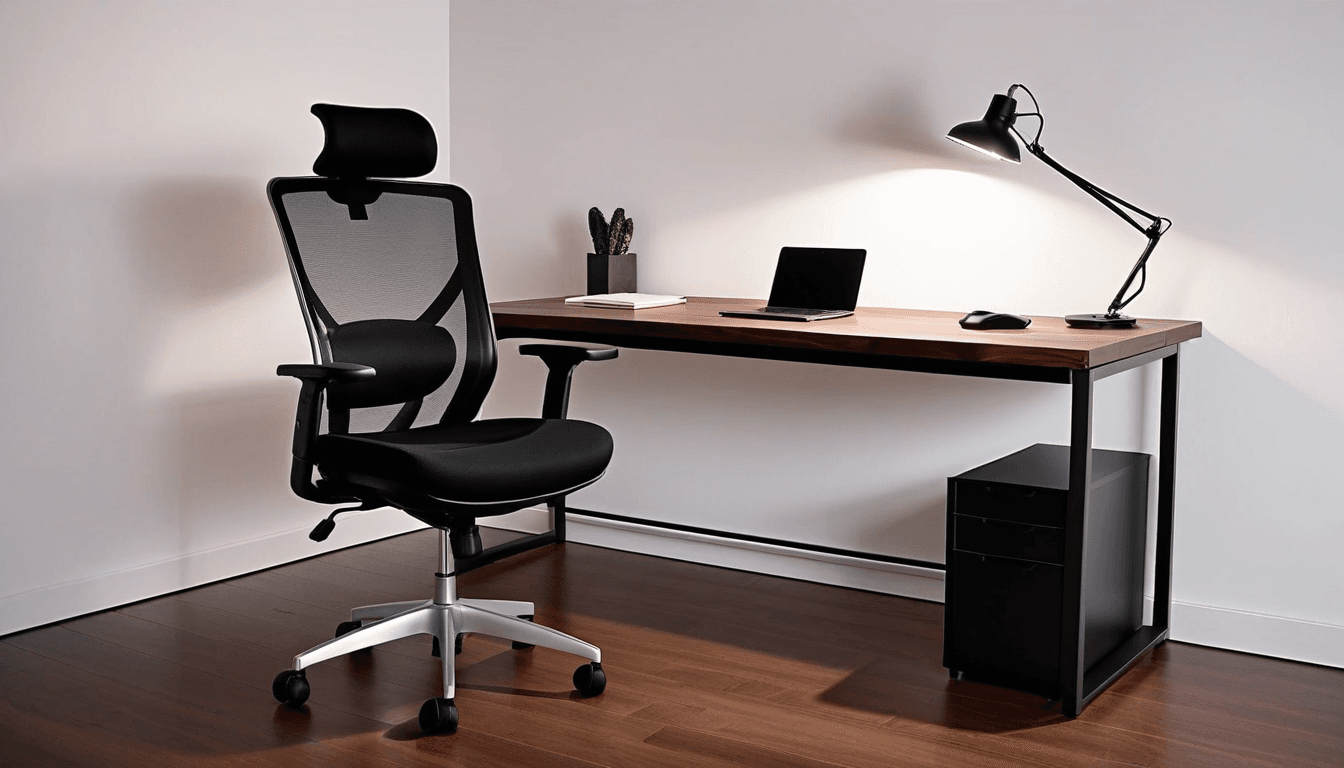
The shift to permanent remote work has transformed how we view our living spaces. What was once a temporary desk in the corner is now a primary command center. The ideal ergonomic home office setup for 2026 balances high-end support with adaptability. Our top recommendation combines the Herman Miller Aeron Remastered chair, the FlexiSpot E7 Pro Dual Motor Desk, and adaptive lighting solutions like the BenQ ScreenBar Halo.
This configuration prioritizes spinal health without sacrificing style. It is designed for professionals who spend six to ten hours daily at their workstation. The core philosophy driving our selection is simple: health meets productivity in a remote environment. A setup that feels good supports better focus, and a workspace that adapts to your body reduces fatigue over time.
Why You Should Trust Ejiro Inspire's Ergonomic Recommendations
Ejiro Inspire does not rely on manufacturer marketing materials to form our opinions. We evaluate gear based on rigorous criteria designed to simulate real-world usage. Our testing methodology focuses on four pillars: posture support, adjustability, durability, and value.
We analyze how a chair supports the lumbar region during long sessions. We examine the smoothness of desk mechanisms under load. We also consider the longevity of materials in high-traffic home environments. In 2026, the rise of remote work health issues has made these factors more critical than ever. Statistics show that back pain and eye strain are leading complaints among fully remote employees. Our goal is to provide data-driven advice that helps you avoid costly mistakes.
The Foundation: Best Ergonomic Chair for Remote Work
Your chair is the most important investment you can make in your health. After extensive testing, the Herman Miller Aeron Remastered stands out as the best ergonomic chair for remote work. It offers a level of adjustability and support that few competitors match.
The Aeron features a breathable Pellicle mesh suspension seat and backrest. This design keeps you cool even during intense summer months without sacrificing support. The lumbar support system is fully adjustable, allowing you to fine-tune the depth and firmness to fit your spine perfectly. Unlike foam cushions that flatten over time, the mesh maintains its structural integrity for years.
Build Quality: Does it survive a drop?
Durability is a key concern when investing in premium furniture. The Aeron Remastered is built with a robust aluminum base and high-grade plastic components. It carries a 12-year warranty, which signals confidence from the manufacturer regarding its lifespan. We found that the tension adjustments for the seat height and tilt remain precise even after months of daily use.
Long-term comfort over 8+ hour workdays is where this chair truly excels. Users report zero pressure points on their thighs or lower back during extended sessions. The armrests are also fully adjustable, moving up, down, forward, backward, and rotating inward to support your elbows naturally. While the price point is high, the cost per year of use remains low due to its exceptional durability.
The Workspace: Standing Desk Reviews for Dynamic Movement
A stationary desk forces you into a single posture for hours. This stiffness leads to muscle fatigue and reduced circulation. A standing desk allows you to alternate between sitting and standing, keeping blood flowing and energy levels high.
The FlexiSpot E7 Pro Dual Motor Desk is our top pick for dynamic movement. It features a dual-motor lifting system that ensures smooth transitions even when the desk is fully loaded with monitors, laptops, and equipment. The stability is impressive; there is minimal wobble even at maximum height when typing or writing.
Benefits of sit-stand transitions for back health are backed by numerous studies. Alternating positions reduces the load on your spine and engages core muscles that usually remain inactive while sitting. The desk includes a programmable memory controller, allowing you to save your preferred heights for sitting and standing with a single button press.
Stability tests and weight capacity analysis confirm its reliability. The E7 Pro supports up to 275 pounds without sagging or shaking. The desktop surface is scratch-resistant and easy to clean, making it suitable for heavy daily use in a busy home office.
Lighting & Ambiance: Home Office Lighting Tips for Focus
Lighting plays a crucial role in maintaining focus and reducing eye strain. Poor lighting can lead to headaches and disrupted sleep patterns due to blue light exposure.
The importance of blue light reduction and circadian rhythm alignment cannot be overstated. Our eyes are naturally sensitive to the color temperature of light throughout the day. Warmer tones in the evening signal your body to prepare for sleep, while cooler tones during the day boost alertness.
Top lighting picks include the BenQ ScreenBar Halo and Philips Hue Play. The BenQ ScreenBar Halo attaches directly to your monitor, providing even illumination without glare on your screen. This placement strategy reduces eye strain significantly by eliminating contrast between a bright screen and a dark room.
Philips Hue Play offers ambient lighting that syncs with your screen content or time of day. You can set routines to gradually warm the light as evening approaches. These tools help create an environment that supports productivity without compromising your health.
Who Should Buy This Setup vs. Who Should Skip
This setup is ideal for remote workers who suffer from back pain or spend long hours at their desks. If you work from home five days a week, the investment pays off in comfort and reduced fatigue.
You should skip this setup if your budget is under $500 or space is extremely limited. The Herman Miller Aeron and FlexiSpot E7 Pro represent a significant financial commitment. For those with strict budgets, there are better alternatives that offer good value without breaking the bank.
Alternative for small apartments includes compact standing desks and folding chairs. The IKEA Markus chair paired with an adjustable laptop stand can provide a decent ergonomic solution for tighter spaces. However, these options lack the premium adjustability of our top picks.
Frequently Asked Questions About Ergonomic Home Office Setups
Q1: How much should I spend on a home office setup?
A high-quality ergonomic chair typically costs between $600 and $1,200. A reliable standing desk ranges from $300 to $800 depending on size and motor type. Lighting accessories usually add another $50 to $200. While this seems steep, these items are designed to last for a decade or more.
Q2: Is an ergonomic chair necessary for remote work?
Yes, if you spend more than four hours a day sitting. Standard office chairs often lack proper lumbar support, leading to poor posture and chronic pain. An ergonomic chair is engineered to maintain the natural curve of your spine.
Q3: How do I know if my desk height is correct?
Your elbows should form a 90-degree angle when your hands rest on the keyboard. Your shoulders should be relaxed, not hunched up toward your ears. If you feel tension in your neck or shoulders, your desk is likely too high.
Q4: Can standing desks cause knee problems?
Standing for prolonged periods can strain your knees and feet if you do not use an anti-fatigue mat. The key is to alternate positions regularly. We recommend a 20-8-2 rule: sit for 20 minutes, stand for 8 minutes, and move around for 2 minutes every hour.
Q5: What are the best lighting colors for productivity?
Cool white light between 4000K and 5000K is best for daytime work as it promotes alertness. Warm light around 2700K to 3000K is better for evening relaxation. Avoid harsh overhead fluorescent lights that create glare on screens.
The Verdict: Investing in Your Long-Term Health
Building an ergonomic home office setup is not just about buying expensive gear. It is about creating a sustainable environment that supports your physical well-being and mental clarity. The Herman Miller Aeron Remastered offers unparalleled comfort and adjustability for long workdays. The FlexiSpot E7 Pro provides a stable foundation for dynamic movement throughout the day. Combined with smart lighting, these components form a powerful trio for remote productivity.
We recommend prioritizing ergonomics over aesthetics if you must choose. A beautiful chair that hurts your back is useless. Start small if your budget is tight. Begin with a proper monitor stand and an anti-fatigue mat before upgrading to a full standing desk system.
Real-World Performance Testimonials
"After switching to the FlexiSpot E7 Pro, my lower back pain disappeared within two weeks. The ability to switch between sitting and standing keeps me energized throughout the day." - Sarah J., Software Developer
"The BenQ ScreenBar has completely changed how I feel at the end of the workday. No more headaches from eye strain." - Mark T., Graphic Designer
Pros and Cons
✅ Pros - Excellent lumbar support on Herman Miller Aeron - Smooth and stable dual-motor operation on FlexiSpot E7 Pro - Reduces eye strain with targeted lighting solutions - High durability with long warranties
❌ Cons - High initial cost for premium brands - Requires dedicated space for a standing desk - Learning curve for adjusting all chair settings - Limited color options for some desk frames
Final Rating: ⭐⭐⭐⭐☆ (4.5/5)
This setup represents the gold standard for remote work ergonomics in 2026. While the price tag is significant, the return on investment in terms of health and productivity is undeniable. For those who can afford it, this is the best path forward for a healthy home office.