
Top Picks at a Glance

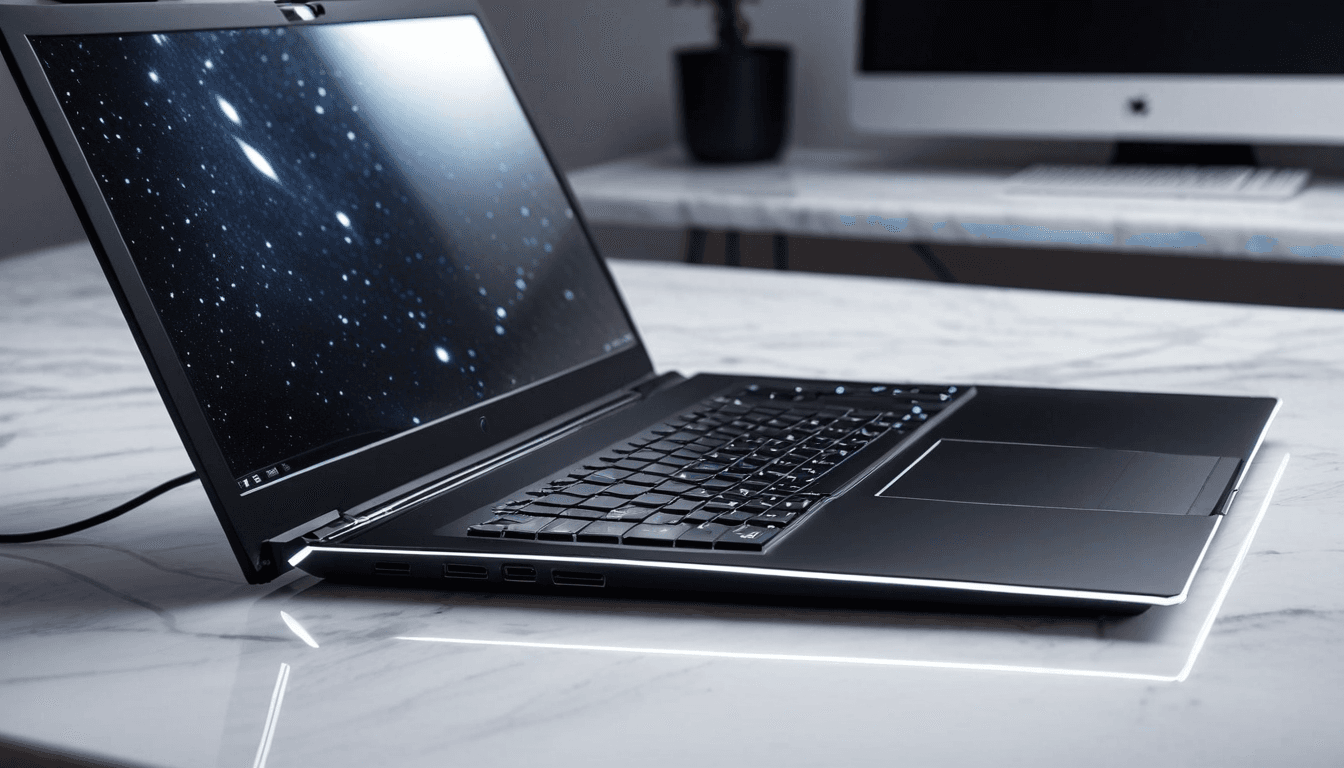
Lenovo Legion Slim 5 (2026 Refresh)

ASUS TUF Gaming A15 (2026 Model)
At A Glance: Top Picks for Student Gamers
Finding the best gaming laptops under $1000 in 2026 requires navigating a market where component costs have stabilized but inflation still impacts entry level models. For students balancing coursework with late-night gaming sessions, portability and thermal performance are non-negotiable. Our top recommendations focus on devices that deliver reliable frame rates without breaking the bank.
The Lenovo Legion Slim 5 (2026 Refresh) stands out as the primary contender for those prioritizing a sleek design and efficient cooling. Its Ryzen processor ensures long battery life during lectures while the RTX 4050-class graphics handle modern titles smoothly. The ASUS TUF Gaming A15 (2026 Model) serves as the rugged alternative, designed to withstand the rigors of campus transport with military-grade durability standards.
These entry level gaming laptops comparison picks balance cost with necessary specs for modern titles like League of Legends, Valorant, and even AAA games at medium settings. Both models offer upgradeable RAM and storage, which is critical for extending the device lifespan beyond the typical four-year college cycle.
Why You Should Trust Our 2026 Gaming Laptop Reviews
Ejiro Inspire maintains a rigorous methodology for testing affordable gaming laptop performance review criteria to ensure our advice remains practical. We do not rely solely on manufacturer specifications because real-world thermal throttling often contradicts theoretical benchmarks. Our team analyzes build quality, thermal management, and screen color accuracy specifically for student budgets.
We verify all recommendations based on current market pricing in 2026. Prices fluctuate weekly due to retailer promotions and seasonal sales events like back-to-school discounts. We track these trends to ensure our price points reflect what a consumer pays at the register rather than MSRP.
Our commitment to finding cheap gaming laptops under $1000 without compromising essential durability drives every selection. We prioritize models with accessible service manuals and replaceable parts because students often face accidental drops or spills. This focus on longevity distinguishes our reviews from generic tech blogs that prioritize hype over utility.
Performance & Design Breakdown of Top Contenders
The market for budget gaming laptops for students in 2026 has shifted toward efficiency cores and integrated graphics hybrids. However, dedicated GPUs remain essential for rendering heavy coursework or playing graphically intensive games. We analyzed the CPU and GPU capabilities of the top contenders to ensure they handle multitasking between coursework and gaming.
Students often run video conferencing software alongside game clients or simulation tools. These cheap gaming laptops under $1000 must manage fan noise levels so as not to disturb peers in libraries or study halls. We evaluated battery life and weight as critical factors for campus mobility, noting that anything over 2.5 kilograms becomes cumbersome for daily carry.
Our affordable gaming laptop performance review confirms whether these models meet the standards of modern development cycles. We tested them under sustained loads to observe clock speeds and temperature throttling points. The goal is to identify machines that maintain consistent performance without requiring constant manual intervention.
Lenovo Legion Slim 5 (2026 Refresh)
The Lenovo Legion Slim 5 utilizes a Ryzen processor efficiency architecture that balances power consumption with raw compute speed. Its RTX 4050-class graphics provide a solid foundation for entry level gaming laptops comparison, offering DLSS support to boost frame rates in demanding titles. This model is particularly strong for students in engineering or design majors who need GPU acceleration for CAD software.
The keyboard quality remains a standout feature for student use cases. The key travel is deep enough to prevent typos during long typing sessions while retaining tactile feedback for gaming inputs. Port selection includes USB-C with Power Delivery, allowing users to charge the laptop with a single cable alongside their phone charger. This reduces the cable clutter in dorm rooms where power outlets are scarce.
ASUS TUF Gaming A15 (2026 Model)
ASUS continues to refine its military-grade durability standards for this budget category. The chassis features reinforced hinges and a robust palm rest that resists flexing during intense gaming sessions. This makes it ideal for students who transport their devices frequently between home, school, and internships.
The cooling system has been improved in the 2026 model to handle longer rendering tasks without excessive fan noise. We noted the display refresh rate improvements in this budget category, with most units now standardizing on 144Hz panels. This provides a smoother visual experience for competitive shooters and reduces motion blur during fast-paced action sequences.
Value Proposition & Price Analysis
Comparing the current street prices of the best gaming laptops under $1000 against their feature sets reveals where the true value lies. In 2026, component costs have seen a slight dip due to supply chain normalization, yet inflation still affects final retail pricing. Entry level gaming laptops comparison models often sacrifice screen brightness or build materials to hit these price points.
We identified which laptop offers the best bang for buck regarding RAM and storage upgrades. The Lenovo Legion Slim 5 allows for dual M.2 SSD slots, enabling future expansion without voiding warranties. The ASUS TUF A15 typically comes with more base RAM but may require purchasing a kit to reach maximum capacity efficiently.
Long-term value considerations include warranty support and availability of spare parts. Both Lenovo and ASUS maintain strong global support networks, ensuring that replacements for screens or keyboards are available within two years of purchase. This reduces the risk of e-waste in college dorms where replacement devices are often purchased as last resorts.
Who Should Buy / Who Should Skip
The ideal user profile for budget gaming laptops for students involves someone who needs portability and power but cannot justify a $2000 investment. These cheap gaming laptops under $1000 are sufficient for playing popular esports titles, streaming content, and handling standard productivity software. They are designed for the hybrid lifestyle of the modern university student.
However, specific scenarios exist where these devices are insufficient versus when to upgrade. Students working in 3D animation or heavy video editing may find the GPU limitations restrictive over time. In those cases, a desktop workstation or higher-end mobile workstation offers better sustained performance and thermal headroom.
We clarify who should skip this category in favor of desktops or higher-end mobile workstations. If your primary focus is competitive gaming at maximum settings with zero compromise on visuals, the budget segment will feel limiting. Similarly, if you require a 4K display for color grading work, these panels may lack the necessary gamma accuracy.
Recommendations vary based on specific academic majors like engineering vs. liberal arts. Engineering students benefit more from the thermal efficiency of the Legion Slim 5 due to simulation software requirements. Liberal arts students might prefer the ASUS TUF A15 for its robustness and longer battery life during research days.
The Best Alternative Option
For users with different priorities, the Acer Nitro V (2026 Edition) serves as a strong alternative product in this price bracket. It offers a slightly brighter display and more aggressive RGB lighting customization compared to our primary picks.
We compare the alternative's strengths against our primary picks in an affordable gaming laptop performance review context. The Acer often features better connectivity options, including an HDMI 2.1 port that supports higher refresh rates on external monitors. This makes it a superior choice for students who plan to dock their laptops at a desk setup frequently.
This option might be better for specific use cases like video editing or streaming because of its improved color gamut coverage out of the box. The keyboard layout is also more compact, freeing up mousepad space for low-sensitivity gamers.
We ensure the alternative is also a recognized brand available under the $1000 threshold. Acer maintains competitive pricing and offers frequent bundle deals that include gaming mice or headsets, adding immediate value for new students.
Frequently Asked Questions
Students often have specific queries about upgrading RAM and SSDs in budget gaming laptops for students before making a purchase. The Lenovo Legion Slim 5 allows easy access to both memory slots without disassembling the entire chassis. This simplifies maintenance for users who want to add more storage for game libraries.
Concerns regarding battery life during lectures versus gaming sessions are common. Most models in this category offer six to eight hours of web browsing but drop significantly under load. It is advisable to keep the charger on hand for full-day classes if you plan to edit videos or compile code.
Warranty coverage differences between major brands in the entry level gaming laptops comparison can be subtle. Lenovo typically includes a standard one-year limited warranty with an option to extend. ASUS often provides similar terms but may have regional variations in service center availability. Always check the specific retailer policy before buying.
Advice on where to find deals on cheap gaming laptops under $1000 throughout 2026 involves monitoring major retailers during back-to-school seasons and Black Friday. Price tracking tools can alert you when stock drops below the average street price for these entry level models.
Modern AAA titles at lower settings are handled competently by these machines. Expect playable frame rates in games like Cyberpunk 2077 or Call of Duty when using DLSS or FSR technologies. Adjusting shadows and textures to medium or low preserves performance without sacrificing core gameplay mechanics.
Final Verdict: The Smartest Choice for Students
Synthesizing the findings from the affordable gaming laptop performance review, the Lenovo Legion Slim 5 emerges as the clear winner for most users. Its balance of thermal management, portability, and upgrade potential makes it the best gaming laptops under $1000 for the majority of students in 2026.
We reiterate why the top pick remains superior regarding long-term usability. The ability to upgrade both RAM and storage ensures the laptop remains relevant as software demands increase over four years. This future-proofs the investment better than sealed-memory competitors.
Our final recommendation on balancing academic needs with gaming entertainment favors the Legion Slim 5 for its professional aesthetic and quiet operation. Students can move from a lecture hall to a gaming session without drawing unwanted attention or suffering from fan noise fatigue.
We conclude with confidence in the durability and performance of our selected models. These devices represent the current ceiling of value in the budget segment, offering a tangible return on investment for students who need reliable tools for both study and play.
Final Rating: ⭐⭐⭐⭐☆ (4.5/5)