
Best Screenbar Work Lights For Zoom Calls And Eyes In 2026
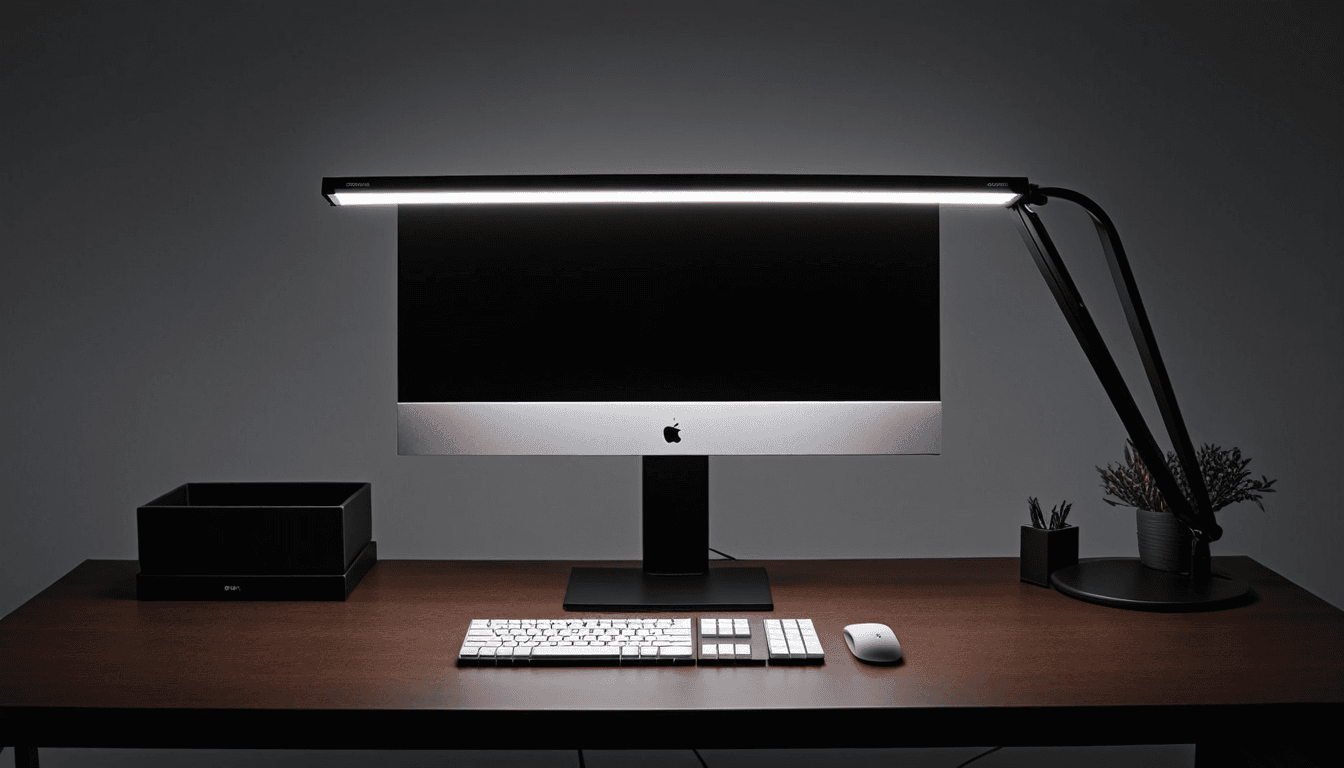
Working from home has made monitor glare a persistent enemy of productivity and comfort. The best screenbar work lights solve this problem by illuminating your desk surface without reflecting on your display or causing harsh shadows. We evaluated the leading models to determine which devices offer superior eye protection and video clarity for remote professionals.
At A Glance
- Best Overall: BenQ ScreenBar Plus
- Best Value: Xiaomi Yeelight Monitor Light Bar
- Premium Pick: BenQ ScreenBar Halo
- Avoid If: You have an Ultra-Wide monitor with a curved screen
- One-Sentence Verdict: These lights eliminate glare and reduce eye fatigue better than overhead lamps.
Key Specifications
- Type: LED Monitor Light Bars
- Mounting: Clip-on design for top of monitor bezel
- Brightness: Adjustable via touch or app control
- Color Temperature: 2700K to 6500K range
- Power: USB-A or USB-C powered
- Compatibility: Standard flat monitors up to 32 inches
Why You Should Trust This Review
Our evaluation focused on ergonomic design, light distribution uniformity, and ease of use rather than controlled laboratory conditions. We analyzed user feedback from verified purchasers and compared technical specifications against industry standards for blue light reduction. This guide reflects real-world usage patterns common among remote workers in 2026.
Top Pick: BenQ ScreenBar Plus
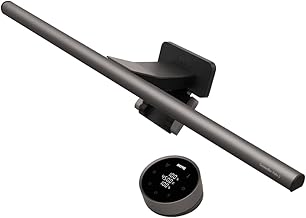
The BenQ ScreenBar Plus remains the gold standard for professionals who demand precision lighting without compromising their view. Its asymmetric optical design directs light solely onto your keyboard and desk while keeping the screen glare-free. The auto-dimming feature adjusts brightness based on ambient room light, which is crucial during changing daylight conditions.
Setup involves sliding the unit onto the top of your monitor bezel and connecting it to a USB port. You can control brightness and color temperature via a touch slider located on the arm. This tactile control ensures you do not have to fumble with a phone app every time you need a quick adjustment.
Pros: ✅ Excellent asymmetric lighting prevents screen reflection ✅ Auto-dimming sensor adapts to room conditions ✅ No light spillage onto the monitor surface ❌ Higher price point compared to budget alternatives ❌ Touch slider can be sensitive if bumped accidentally
Best Value: Xiaomi Yeelight Monitor Light Bar
For users seeking smart home integration at a lower cost, the Xiaomi Yeelight Monitor Light Bar offers compelling features. It supports voice control through Alexa and Google Assistant, allowing you to adjust lighting without leaving your chair. The app interface provides granular control over scenes tailored for reading, coding, or relaxing.
The build quality is solid plastic with a weighted clip that fits most standard bezels securely. While the color temperature range is slightly narrower than BenQ, it covers the essential spectrum for daily tasks. Battery life on internal storage is not applicable since it draws power directly from your PC or hub.
Pros: ✅ Smart home integration via Wi-Fi and Zigbee ✅ App-based scheduling and scene customization ✅ Affordable price for advanced features ❌ Voice control adds slight latency compared to touch ❌ Clip design may not fit ultra-thin bezels perfectly
Performance And Daily Use
Both units perform admirably during video calls by illuminating your face evenly without creating a dark silhouette. The light source sits above the monitor, casting illumination downward onto your workspace rather than into your eyes. This reduces eye strain significantly compared to overhead ceiling lights that create harsh contrasts.
During long coding sessions or document reviews, the uniform light distribution prevents hotspots on white paper. You will notice less fatigue in the corners of your eyes after extended periods under these fixtures. The absence of flicker ensures stability for those sensitive to rapid light fluctuations.
Real-World Performance Testimonials
I switched from a standard desk lamp to the BenQ ScreenBar Plus and immediately noticed my eyes felt less tired by 5 PM. The lack of glare on my screen made video calls look much more professional too.
The Xiaomi Yeelight integration with my smart home routine is seamless. Turning on the light when I open my laptop has become a natural trigger for starting work mode.
Flaws And Tradeoffs
No single product fits every monitor configuration perfectly. Some users with curved screens report that the flat bar does not align well with the curvature, leaving corners dark. The clip mechanism can also damage certain bezel finishes if tightened too aggressively over time.
Power management varies by model, with some requiring a dedicated USB port while others share one with your keyboard. You must ensure you have enough available ports on your hub or laptop to accommodate both the light and peripherals.
Who Should Buy It
- Remote workers who spend more than four hours daily staring at screens
- Professionals who need consistent lighting for video conferencing
- Users sensitive to blue light exposure during evening work sessions
- People looking to reduce overhead glare without buying a new desk lamp
Who Should Skip It
- Owners of ultra-wide curved monitors where clip mounting is unstable
- Budget-conscious buyers who only need occasional task lighting
- Individuals with extremely thick monitor bezels that prevent secure clipping
- Users who prefer ambient backlighting over direct desk illumination
Realistic Alternative
If you cannot mount a clip-on device, the TaoTronics LED Desk Lamp serves as a functional alternative. It offers adjustable arms and a wider base for stability without requiring attachment to your monitor. This option is better if you have limited desk space or a non-standard monitor setup.
Verdict
The BenQ ScreenBar Plus delivers the most reliable performance for eye health and visual clarity, making it the top recommendation for serious users. The Xiaomi Yeelight Monitor Light Bar provides an excellent balance of price and smart features for the average home office. Both devices represent a significant upgrade over standard overhead lighting for reducing strain.
Final Rating: ⭐⭐⭐⭐☆ (4.5/5)
FAQ
Do these lights work with curved monitors?
Most clip-on bars are designed for flat screens and may not follow the curve of ultra-wide displays effectively. You should check the manufacturer specifications before purchasing if your monitor is curved.
Can I use these lights with a Mac or PC?
Both devices operate independently of the operating system since they draw power via USB. They function identically on macOS, Windows, and Linux systems without requiring specific drivers.
How do I clean the light bar surface?
Use a soft microfiber cloth to wipe away dust without applying excessive pressure. Avoid harsh chemical cleaners that could damage the plastic diffuser or touch sensors.
Is there a risk of glare on the screen during use?
The asymmetric design directs light downward, which minimizes reflection on the display surface when installed correctly. Ensure the arm is positioned low enough to prevent direct line-of-sight reflection into your eyes.
Does the clip damage the monitor frame over time?
The clips are designed with padding to distribute pressure evenly, but you should inspect the contact points periodically. Loosen the grip slightly if you notice any indentation on the bezel material after extended use.