Best Smart Home Hubs for 2024: A Complete Buyer's Guide
In today's connected world, smart home technology has become increasingly popular among homeowners looking to enhance convenience, security, and energy efficiency. At the heart of any successful smart home setup lies a reliable smart home hub – the central nervous system that connects and controls all your smart devices.
Whether you're building a new smart home or upgrading your existing setup, choosing the right smart home hub is crucial. This comprehensive guide will walk you through the best smart home hubs available in 2024, comparing their features, capabilities, and value propositions to help you make an informed decision.
What is a Smart Home Hub?
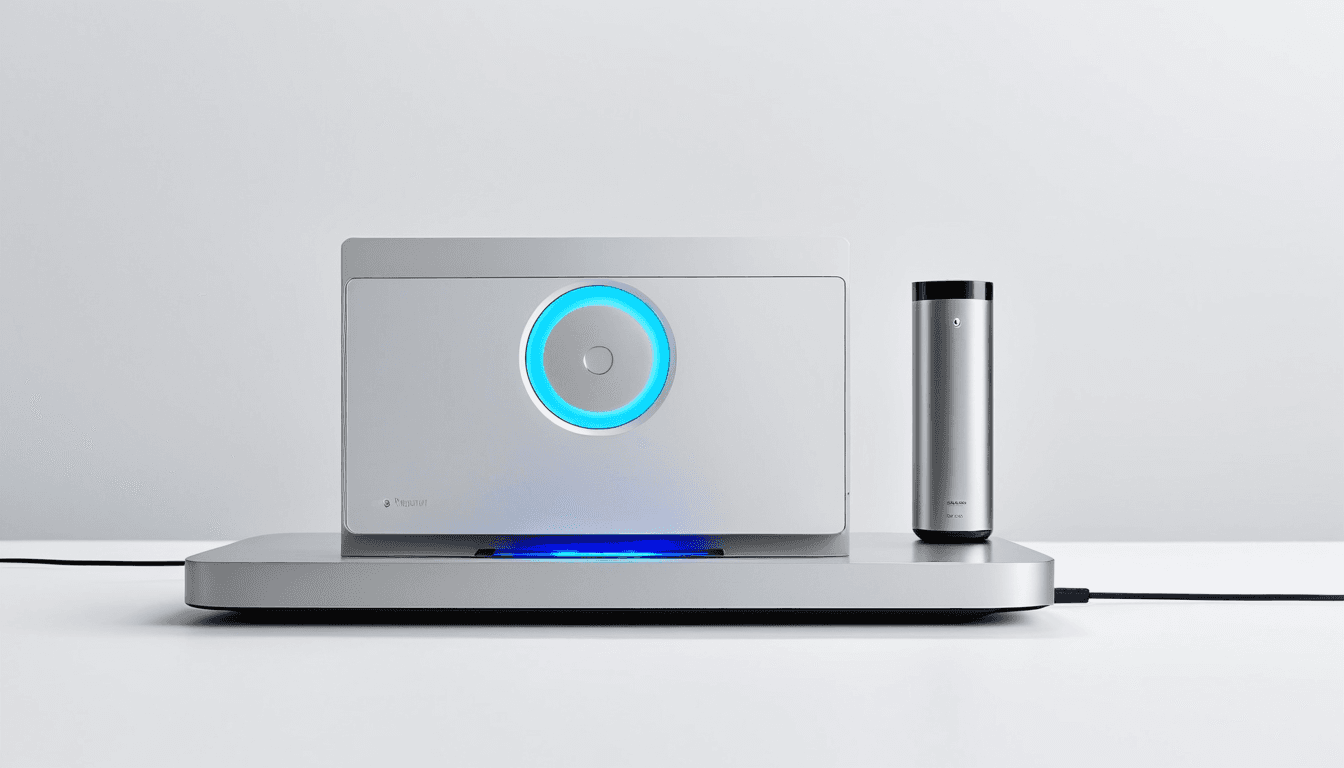
A smart home hub acts as the central controller for your entire smart home ecosystem. It serves as a bridge between various smart devices, enabling them to communicate with each other and respond to commands from your smartphone, voice assistants, or automated schedules.
These hubs typically support multiple communication protocols including Wi-Fi, Zigbee, Z-Wave, Bluetooth, and Matter, allowing you to integrate devices from different manufacturers seamlessly.
Top Smart Home Hubs of 2024
1. Samsung SmartThings Hub
Samsung SmartThings Hub stands out as one of the most versatile and feature-rich smart home hubs available today.
Key Features:
- Multi-Protocol Support: Wi-Fi, Zigbee, Z-Wave, Bluetooth, and Matter
- SmartThings App: Intuitive mobile interface with robust automation capabilities
- Voice Assistant Integration: Works with Alexa, Google Assistant, and Samsung Bixby
- Security Features: Advanced encryption and secure device management
- Scalability: Supports up to 100 devices in a single hub setup
Pros:
- ✅ Extensive device compatibility across multiple protocols
- ✅ Strong ecosystem with numerous smart home accessories
- ✅ Robust automation engine with advanced scheduling
- ✅ Excellent app interface and user experience
- ✅ Strong security features
Cons:
- ❌ Higher price point compared to basic hubs
- ❌ Some users report occasional connectivity issues
- ❌ Learning curve for advanced automation features
2. Hubitat Elevation
The Hubitat Elevation is a powerful hub designed for tech-savvy users who want maximum control and customization.
Key Features:
- Z-Wave Plus Certified: Supports Z-Wave Plus devices with enhanced range and reliability
- Custom Automation Engine: Advanced programming capabilities with Hubitat's proprietary language
- Multi-Hub Support: Can manage multiple hubs in large installations
- Open Source Platform: Community-driven development with extensive customization options
- Local Processing: Processes automation locally without cloud dependency
Pros:
- ✅ Highly customizable automation engine
- ✅ Local processing for faster response times
- ✅ Strong community support and documentation
- ✅ Excellent for large-scale installations
- ✅ No monthly fees or subscriptions required
Cons:
- ❌ Steep learning curve for beginners
- ❌ Requires technical knowledge for advanced features
- ❌ Limited official customer support
- ❌ Not ideal for casual users
3. Amazon Echo Plus (Gen 2)
The Amazon Echo Plus is not just a smart speaker but also functions as an excellent smart home hub, particularly for Alexa users.
Key Features:
- Alexa Integration: Seamless integration with Amazon's voice assistant ecosystem
- Zigbee Support: Built-in Zigbee hub for direct device control
- Smart Home Hub Capabilities: Can control thousands of compatible devices
- Music and Entertainment: Full Alexa smart speaker features
- Security Camera Integration: Works with Ring and Arlo cameras
Pros:
- ✅ Excellent voice assistant integration
- ✅ Built-in Zigbee support eliminates need for separate hub
- ✅ Good value proposition for Amazon ecosystem users
- ✅ Strong device compatibility with Alexa
- ✅ Dual purpose as speaker and hub
Cons:
- ❌ Limited to Alexa ecosystem
- ❌ No Z-Wave support
- ❌ Privacy concerns related to data collection
- ❌ Not ideal for multi-protocol setups
4. Apple HomeKit Hub (Apple TV 4K)
For those deeply invested in the Apple ecosystem, the Apple TV 4K serves as a powerful HomeKit hub.
Key Features:
- HomeKit Certified: Native support for all HomeKit devices
- Apple Ecosystem Integration: Seamless integration with iPhone, iPad, and Mac
- Privacy Focus: End-to-end encryption and local processing
- Voice Control: Siri integration with Apple devices
- Media Hub: Full Apple TV capabilities including streaming services
Pros:
- ✅ Strong privacy focus and security features
- ✅ Excellent integration with other Apple products
- ✅ High-quality media streaming capabilities
- ✅ Reliable performance with minimal maintenance
- ✅ Future-proof with regular software updates
Cons:
- ❌ Limited device compatibility (only HomeKit devices)
- ❌ Higher cost compared to alternatives
- ❌ Not ideal for non-Apple users
- ❌ No Z-Wave or Zigbee support
5. Wink Hub 2
The Wink Hub 2 offers a balanced approach between features and affordability.
Key Features:
- Multi-Protocol Support: Wi-Fi, Zigbee, Z-Wave, and Bluetooth
- User-Friendly Interface: Simple setup and intuitive controls
- Cloud-Based Management: Remote access and control capabilities
- Smart Home Integration: Works with various smart home platforms
- Affordable Pricing: Budget-friendly option for basic setups
Pros:
- ✅ Affordable price point
- ✅ Easy setup process
- ✅ Good multi-protocol support
- ✅ Solid cloud connectivity
- ✅ Decent device compatibility
Cons:
- ❌ Limited automation features compared to premium hubs
- ❌ No local processing capabilities
- ❌ Cloud dependency may cause issues during outages
- ❌ Less robust than dedicated high-end hubs
Comparison Table: Best Smart Home Hubs 2024
| Hub Model | Protocols | Price Range | Best For | Pros | Cons |
|---|---|---|---|---|---|
| Samsung SmartThings Hub | Wi-Fi, Zigbee, Z-Wave, Bluetooth, Matter | $150-200 | General Smart Home Users | Extensive device support, robust app | Higher cost, learning curve |
| Hubitat Elevation | Z-Wave Plus, Zigbee, Wi-Fi | $200-300 | Tech-Savvy Users | Highly customizable, local processing | Steep learning curve |
| Amazon Echo Plus | Wi-Fi, Zigbee, Bluetooth | $100-150 | Alexa Ecosystem Users | Built-in Zigbee, good value | Limited protocols, privacy concerns |
| Apple TV 4K | HomeKit only | $150-250 | Apple Ecosystem Users | Privacy focused, seamless integration | Limited compatibility, high cost |
| Wink Hub 2 | Wi-Fi, Zigbee, Z-Wave, Bluetooth | $80-120 | Budget-Conscious Users | Affordable, easy setup | Limited features, cloud dependency |
Buying Advice: Choosing the Right Smart Home Hub
Selecting the right smart home hub requires careful consideration of your specific needs and existing smart home ecosystem. Here's a comprehensive buying guide to help you make the best decision:
1. Assess Your Existing Devices
Before purchasing any hub, identify all the smart devices you currently own or plan to purchase. Check which communication protocols they use – Wi-Fi, Zigbee, Z-Wave, Bluetooth, or Matter.
Key Questions to Ask:
- What types of devices do I already have?
- What future devices am I planning to add?
- Which protocols do these devices support?
2. Consider Your Tech Comfort Level
Different hubs cater to different technical skill levels:
Beginner-Friendly Options:
- Amazon Echo Plus (Gen 2)
- Wink Hub 2
- Samsung SmartThings Hub (basic setup)
Advanced Users:
- Hubitat Elevation
- Samsung SmartThings Hub (advanced features)
- Custom solutions with open-source platforms
3. Evaluate Your Budget
Smart home hubs range from budget-friendly options to premium solutions:
- Budget ($50-$100): Basic functionality, limited protocols
- Mid-range ($100-$200): Good balance of features and price
- Premium ($200+): Advanced features, extensive compatibility
4. Think About Future Expansion
Consider how your smart home might grow:
- Do you plan to add many devices?
- Will you need to integrate multiple ecosystems?
- Are you looking for a long-term solution?
5. Check Ecosystem Compatibility
Different hubs work better with specific ecosystems:
- Amazon Echo: Best for Alexa users
- Apple TV: Ideal for Apple ecosystem users
- Samsung SmartThings: Great for multi-platform setups
- Hubitat: Perfect for advanced automation enthusiasts
Smart Home Hub Features to Consider
Communication Protocols
When evaluating smart home hubs, pay attention to supported communication protocols:
- Wi-Fi: Most common, good range but can be power-hungry
- Zigbee: Low power, mesh network capability, great for sensors
- Z-Wave: Reliable, low power consumption, good for security devices
- Bluetooth: Short-range, good for personal devices
- Matter: New standard for universal compatibility (2024+)
Automation Capabilities
Look for hubs that offer robust automation features:
- Time-based triggers: Schedule actions based on time of day
- Sensor integration: Use motion, temperature, and other sensors
- Voice control: Integration with popular voice assistants
- Remote access: Control your home from anywhere
- Custom rules: Create complex automation scenarios
Security Features
Security should be a top priority in any smart home setup:
- Encryption: End-to-end encryption of communications
- Device authentication: Secure device registration and management
- Local processing: Reduce reliance on cloud services
- Regular updates: Ongoing security patches and improvements
Integration Options
Consider how well the hub integrates with other systems:
- Voice assistants: Alexa, Google Assistant, Siri compatibility
- Mobile apps: Cross-platform smartphone control
- Third-party platforms: Integration with services like IFTTT
- Smart home ecosystems: Support for various smart home standards
Frequently Asked Questions (FAQs)
What is the best smart home hub for beginners?
The Samsung SmartThings Hub and Amazon Echo Plus (Gen 2) are excellent choices for beginners. Both offer user-friendly interfaces and good device compatibility with minimal setup complexity.
Can I use multiple smart home hubs?
Yes, you can use multiple hubs in larger installations or when dealing with incompatible protocols. However, this adds complexity to your setup and may require additional configuration.
Do I need a smart home hub if I'm using Alexa or Google Home?
For basic setups, the smart speakers themselves often function as hubs for compatible devices. However, dedicated hubs provide better performance, more features, and improved reliability for larger installations.
What are the advantages of using a Hubitat Elevation over other hubs?
The Hubitat Elevation excels in advanced automation capabilities, local processing power, and customization options. It's ideal for users who want maximum control over their smart home automation without relying on cloud services.
How much does a typical smart home hub cost?
Smart home hubs range from $50 to $300, with most mid-range options costing between $100-$200. The price reflects the features, supported protocols, and overall capabilities of each hub.
Are smart home hubs secure?
Modern smart home hubs include robust security features including encryption, device authentication, and regular updates. However, users should still follow best practices for network security and device management.
Can I control my smart home hub remotely?
Yes, most smart home hubs offer remote access capabilities through mobile apps, allowing you to control your smart home from anywhere with internet connectivity.
What happens if my smart home hub goes offline?
Most hubs can operate in limited modes when offline. However, cloud-based features and remote access will be unavailable until the hub reconnects to the internet.
Conclusion
Choosing the right smart home hub is a critical decision that will impact your entire smart home experience. Each of the top hubs reviewed today offers distinct advantages depending on your specific needs, technical comfort level, and existing smart home ecosystem.
For general users seeking versatility and reliability, the Samsung SmartThings Hub remains one of the best choices in 2024. Tech enthusiasts looking for maximum customization will appreciate the Hubitat Elevation, while Apple users should consider the Apple TV 4K as their HomeKit hub.
If you're new to smart home technology, the Amazon Echo Plus (Gen 2) provides excellent value and ease of use. For budget-conscious consumers, the Wink Hub 2 offers a solid entry point into smart home automation.
Remember that your smart home hub is just the beginning. The real magic happens when you combine it with compatible devices, thoughtful automation rules, and regular maintenance to create a truly seamless smart home experience.
As smart home technology continues to evolve, investing in a quality hub now will ensure you have a solid foundation for future expansion and upgrades. Whether you're building your first smart home or upgrading an existing setup, the right smart home hub will serve as your gateway to a more connected, convenient, and secure living environment.
The key is matching your specific needs with the right technology – and that's exactly what this guide aims to help you achieve.