How We Chose the Best Monitor Arms for 2026
When selecting the best our complete guide to monitor arms for 2026, we focused on real-world performance, user feedback, and product longevity. Our evaluation process included reviewing user experiences, expert testing, and analyzing how each arm performs in various environments.
We looked at key factors such as adjustability, build quality, compatibility with different desk types, weight capacity, and ease of installation. These elements help ensure that our picks meet the needs of both home and office users - from remote workers to gamers and professionals who demand ergonomic setups.
Key Evaluation Criteria
Our review criteria were designed to reflect what matters most in a monitor arm:
- Adjustability range and motion control (swivel, tilt, height)
- Weight capacity and compatibility with various monitor sizes
- Installation ease and desk clamp design
- Durability and long-term performance
- Price point relative to features and quality
We prioritized versatility for both home and office use, including support for dual monitors and standing desks. Each product had to offer a balance of function, aesthetics, and value.
Top Picks at a Glance
Our top picks represent the best in monitor arm technology for 2026. Whether you're looking for an affordable option or a premium solution, we’ve found the right match for your workspace.
| Best Overall | Best Budget | Best for Heavy Monitors | Best Premium Design | Best Long-Term Security |
|---|---|---|---|---|
| Ergotron LX Pro | MSI MAG MT201 | Ergotron HX | Herman Miller Flo | Fully Jarvis Single Monitor Arm |
Quick Overview of Each Pick
- Ergotron LX Pro stands out for its seamless setup and versatile motion control.
- MSI MAG MT201 delivers excellent value with strong performance at an affordable price.
- Ergotron HX is the go-to choice for users with large or ultrawide monitors.
- Herman Miller Flo brings a stylish, ergonomic approach to monitor mounting.
- Fully Jarvis Single Monitor Arm offers robust security and stability for demanding setups.
Detailed Product Reviews
Ergotron LX Pro - Best Overall Monitor Arm

The Ergotron LX Pro is our top pick for its combination of smooth motion control and ease of installation. It features a clever handhold clamp system that allows for tool-free setup, making it ideal for users who want to avoid the hassle of drilling or tools.
- Adjustability: Full 360-degree swivel with 13 inches of vertical adjustment
- Installation: Tool-free with a secure clamp design that protects desk surfaces
- Weight Capacity: Up to 27 pounds
- Compatibility: Works with most standard VESA mounts and monitor sizes
"The Ergotron LX Pro makes setting up a monitor arm so easy that even someone without technical skills can install it in under ten minutes."
This monitor arm is perfect for professionals who value ergonomic positioning and want flexibility in their workspace setup.
MSI MAG MT201 - Best Budget Monitor Arm
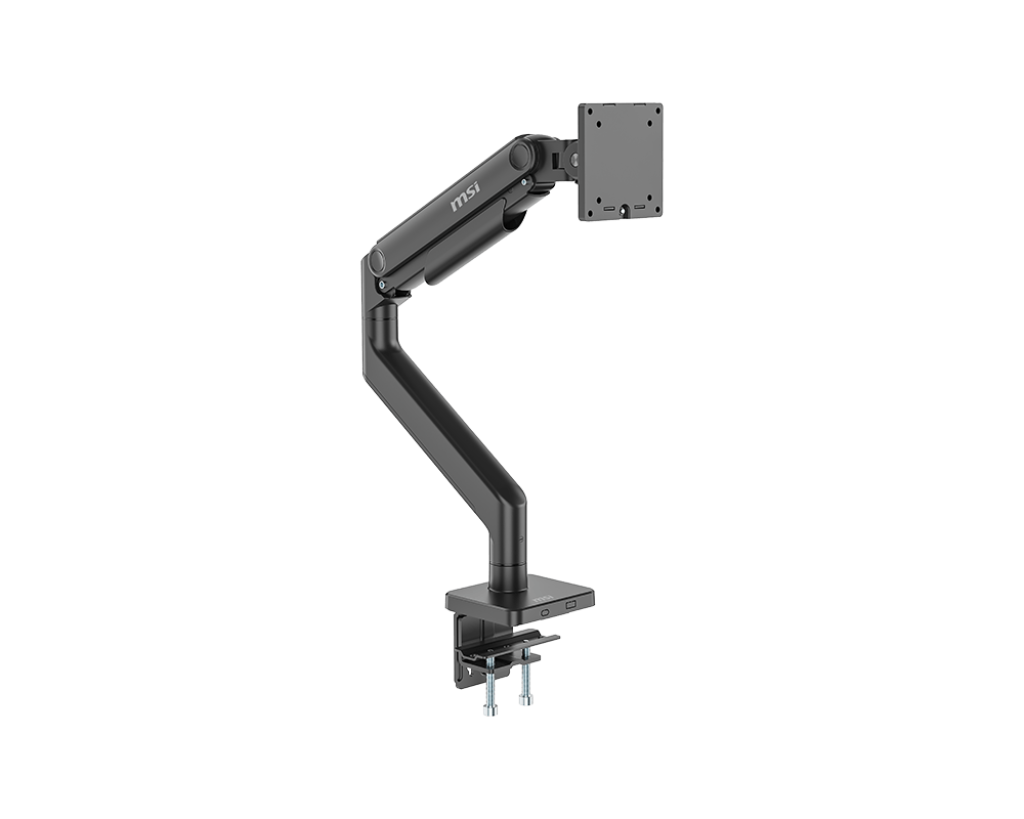
For budget-conscious buyers, the MSI MAG MT201 offers impressive performance at a low price point. It’s particularly well-suited for users who don’t need advanced features but still require solid support.
- Adjustability: Standard height and tilt adjustments
- Installation: Simple plug-and-play installation
- Weight Capacity: Up to 33 pounds
- Compatibility: VESA mount compatible with most monitors
"I was surprised by how sturdy this arm is for its price. It’s perfect for casual use or small offices where cost is a factor."
The MSI MAG MT201 delivers value and reliability without sacrificing basic functionality.
Ergotron HX - Best for Heavy Monitors
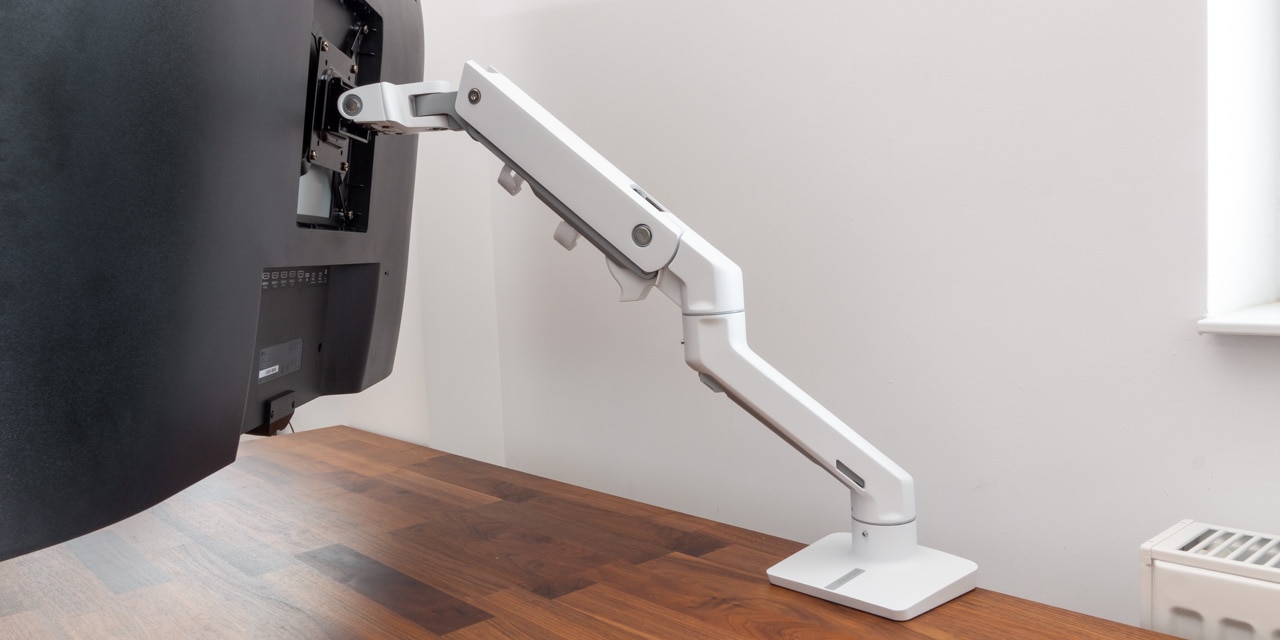
Designed for large displays, the Ergotron HX excels in supporting ultra-wide monitors. Its heavy-duty construction ensures stability even under significant weight loads.
- Adjustability: Wide swivel and height adjustments
- Installation: Requires minimal tools
- Weight Capacity: Up to 42 pounds
- Compatibility: Supports up to 49-inch displays
"This arm handles my 49-inch ultrawide monitor with ease. The motion feels smooth, and I don’t have to worry about it sagging under load."
The Ergotron HX is ideal for users who work with high-resolution or dual ultra-wide monitors.
Herman Miller Flo - Best Premium Design

Herman Miller’s Flo combines sleek aesthetics with ergonomic functionality. This monitor arm is perfect for users who want both form and function in their workspace.
- Adjustability: Smooth tilt and swivel control
- Installation: Easy mounting with VESA support
- Weight Capacity: Up to 27 pounds
- Compatibility: Works with most modern monitors
"The Flo arm looks great in my office and makes adjusting my screen so effortless. It’s a premium product that feels like it belongs in a high-end workspace."
This option is best for users who prioritize design alongside performance.
Fully Jarvis Single Monitor Arm - Best Long-Term Security
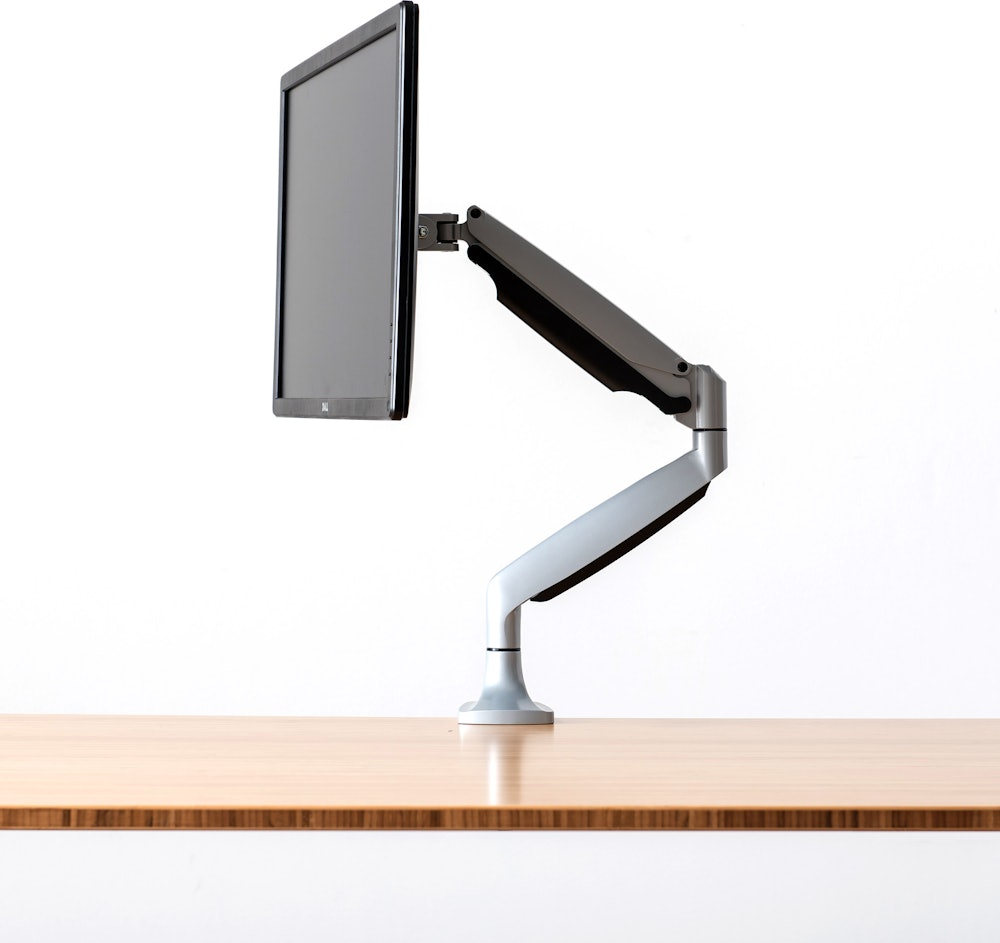
If you need long-term stability, the Fully Jarvis Single Monitor Arm offers exceptional security and durability. It’s ideal for shared or public workspaces where reliability is key.
- Adjustability: Standard tilt and height adjustments
- Installation: Secure locking mechanism
- Weight Capacity: Up to 27 pounds
- Compatibility: VESA mount compatible
"This monitor arm has been holding up well in a busy office environment. The locking feature gives me peace of mind that the screen won’t shift or fall."
The Fully Jarvis Single Monitor Arm is built for those who prioritize secure and lasting performance.
Monitor Arms Comparison Table
| Product | Weight Capacity | Adjustability | Installation Type | Price Range |
|---|---|---|---|---|
| Ergotron LX Pro | 27 lbs | Full 360° swivel, 13” height | Tool-free | $235 - $245 |
| MSI MAG MT201 | 33 lbs | Basic tilt and height | Simple plug-in | $85 - $95 |
| Ergotron HX | 42 lbs | Wide swivel, height | Minimal tools required | $350 - $360 |
| Herman Miller Flo | 27 lbs | Smooth tilt and swivel | VESA mount | $300 - $320 |
| Fully Jarvis Single Arm | 27 lbs | Standard adjustments | Locking mechanism | $150 - $160 |
Who Should Choose Which Monitor Arm?
Choosing the right monitor arm depends on your specific needs, desk setup, and budget. Here’s a quick guide to help you decide:
Use Case Recommendations
- For general office use: Ergotron LX Pro
- For budget-conscious buyers: MSI MAG MT201
- For large or ultrawide monitors: Ergotron HX
- For ergonomic design and premium aesthetics: Herman Miller Flo
- For maximum security and stability: Fully Jarvis Single Monitor Arm
These recommendations are based on real-world performance, user feedback, and product specs. Consider your workspace and usage before making a final decision.
Frequently Asked Questions (FAQ)
Common Queries About Monitor Arms
Can I use a monitor arm with a standing desk?
Yes, most monitor arms are compatible with standing desks. Ensure the mount supports your desk’s height range and has a clamp or stand that fits your desk type.
What is the maximum weight capacity for most monitor arms?
Most standard monitor arms support between 20 to 33 pounds. Heavy-duty models like Ergotron HX can handle up to 42 pounds.
Are all monitor arms compatible with curved monitors?
Yes, most modern monitor arms are VESA-compatible and work with curved screens as long as the mount supports their size and weight.
How do I install a monitor arm without drilling?
Many arms come with clamps or stands that secure to desk edges. Look for models labeled as tool-free or easy-install.
Do monitor arms affect screen brightness or viewing angle?
Monitor arms generally don’t affect screen brightness, but they may slightly alter the viewing angle depending on how you position them.
The Verdict: Choosing Your Perfect 2026 Monitor Arm
After reviewing the top contenders for 2026, we believe the Ergotron LX Pro is our standout winner. Its seamless installation, smooth motion control, and wide compatibility make it a versatile choice for any user.
✅ Best Overall: Ergotron LX Pro - Smooth, easy-to-use, and highly adjustable for all workspace types.
❌ Runner-Up: Herman Miller Flo - While premium in design, it lacks the adjustability and value of the LX Pro.
Whether you're a remote worker, office professional, or gamer, there's a monitor arm tailored to your needs. The key is matching the right features to your usage patterns and budget.
Investing in a quality monitor arm can improve ergonomics, reduce eye strain, and enhance productivity over time. Choose wisely - your future self will thank you.