Top Smart Locks for 2026: Best Home Security Solutions Under $300
In today’s tech-savvy world, smart locks have revolutionized how we secure our homes. Whether you're a homeowner looking to upgrade or a renter seeking convenience, smart locks offer a seamless blend of security and ease-of-use.
As part of the growing smart home ecosystem, smart locks are no longer just a luxury—it’s an essential tool for modern home security. With features like keyless entry, remote access, and mobile app control, these devices have become increasingly popular among homeowners seeking both convenience and safety.
In this article, we’ll explore what makes a smart lock stand out, review the best options available in 2026 under $300, and provide you with everything you need to know before making your purchase.
What Are Smart Locks?
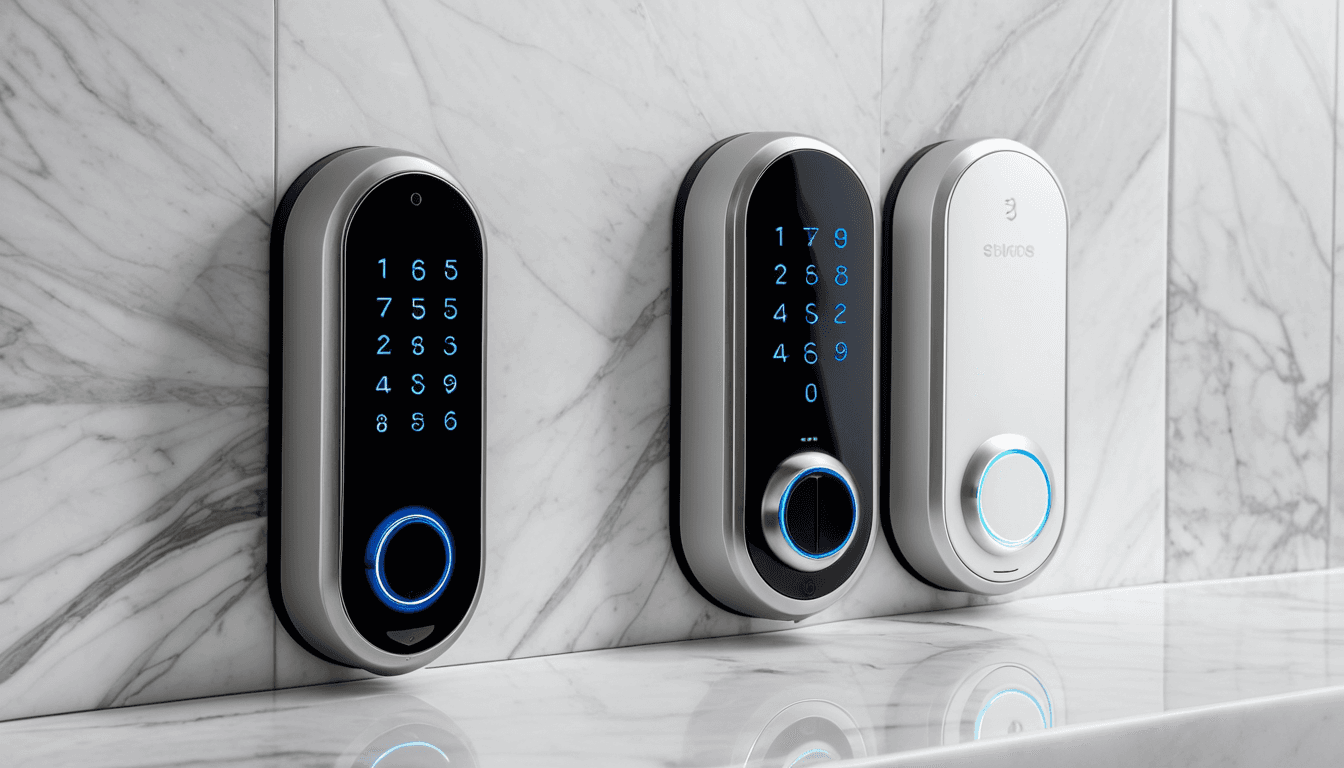
A smart lock is an electromechanical lock designed to perform locking and unlocking operations using electronic methods. Unlike traditional locks, which rely on physical keys, smart locks use digital access methods such as:
- Electronic keypads
- Biometric sensors (fingerprint, facial recognition)
- Access cards or fobs
- Bluetooth or Wi-Fi connectivity from a registered mobile device
These devices integrate with your smartphone via a dedicated app, allowing for remote monitoring, control, and even granting access to others—making them a powerful addition to any home security system.
Smart locks are often installed on existing mechanical locks like deadbolts and physically upgrade them, offering a balance between legacy security and modern convenience.
Key Features of Smart Locks
- Keyless Entry: No more fumbling for keys—unlock your door with a code, fingerprint, or smartphone.
- Remote Access: Control your lock from anywhere using your phone.
- Access Logs: Track who enters and when.
- Notifications: Get alerts when someone accesses your door.
- Virtual Keys: Share temporary access with guests or service providers.
Smart locks are part of a larger smart home ecosystem, making them a versatile and future-proof investment for modern households.
Why You Should Consider a Smart Lock in 2026
With the increasing prevalence of home security threats and the growing demand for smart solutions, smart locks have become more relevant than ever. Here’s why they’re a must-have in 2026:
- Enhanced Security: Advanced encryption and multi-factor authentication provide better protection.
- Convenience: Say goodbye to lost keys or forgotten codes—access is always at your fingertips.
- Smart Home Integration: Many models work with Alexa, Google Assistant, and other smart home platforms.
- Guest Access Management: Easily grant and revoke access without handing over physical keys.
- Battery Monitoring: Most smart locks notify you when the battery needs replacing.
Top Smart Locks Under $300 for 2026
Below are some of the best smart locks available in 2026 under $300, each with its own set of strengths and limitations:
1. August Smart Lock Pro
The August Smart Lock Pro is a well-rounded smart lock that combines security with user-friendly features.
Pros:
- Works with most standard deadbolts
- Supports voice assistants (Alexa, Google Assistant)
- Offers remote access via mobile app
- Integrates with smart home platforms
- Provides detailed access logs
Cons:
- Requires monthly subscription for full features
- Battery life is average compared to competitors
- May not support all lock types without adapter
Price Range:
$250 – $290
2. Schlage Encode Smart Lock
The Schlage Encode is a reliable smart lock that’s known for its durability and ease of installation.
Pros:
- Compatible with existing deadbolts
- Supports keyless entry via PIN, smartphone, or keypad
- Offers two-factor authentication
- Easy to install without professional help
- Works with Amazon Alexa and Google Assistant
Cons:
- No built-in Wi-Fi; relies on Bluetooth for connectivity
- Some users report occasional syncing issues
- Limited customization options compared to premium models
Price Range:
$200 – $270
3. Yale Assure Lock SL
The Yale Assure Lock SL is a budget-friendly option with impressive functionality.
Pros:
- Affordable price point
- Works with most standard deadbolts
- Supports smartphone app control
- Offers virtual key sharing
- No monthly fees required
Cons:
- Lacks advanced smart home integrations
- Battery life is shorter than some competitors
- Limited access logs
Price Range:
$180 – $250
4. Kwikset SmartCode 910
The Kwikset SmartCode 910 offers a great balance of features and affordability.
Pros:
- Easy installation process
- Supports multiple access methods (PIN, key, smartphone)
- Works with most deadbolt models
- Includes a built-in keypad
- No monthly fees needed
Cons:
- Limited smart home compatibility
- App-based access may be less secure than biometric options
- Battery life could be improved
Price Range:
$190 – $260
Buying Guide: What to Look for in a Smart Lock
Choosing the right smart lock depends on your specific needs and budget. Here’s what to consider before you buy:
1. Compatibility with Your Existing Lock
Before purchasing, ensure that the smart lock is compatible with your current deadbolt or lock mechanism. Most smart locks work with standard deadbolts, but it’s always best to double-check.
2. Installation Process
Some models require professional installation, while others are DIY-friendly. If you’re not tech-savvy, choose a model with clear instructions and minimal tools required.
3. Access Methods
Look for smart locks that offer multiple access methods such as:
- PIN code
- Smartphone app
- Fingerprint or face recognition
- Access cards or key fobs
Having more than one method ensures you’re never locked out.
4. Security Features
A good smart lock should include:
- Encryption protocols
- Two-factor authentication
- Tamper alerts
- Access logs
- Remote monitoring capabilities
5. Smart Home Integration
Check if the smart lock integrates with platforms like Alexa, Google Assistant, or Apple HomeKit. This allows for seamless automation and control.
6. Battery Life & Power Options
Battery life varies by model. Some offer up to 6 months of use, while others may require more frequent replacements. Consider whether the lock supports rechargeable batteries or uses standard AA batteries.
7. App Usability
The mobile app is your control center for managing access and monitoring activity. A user-friendly interface with clear features can make all the difference.
Comparison Table: Top Smart Locks Under $300
| Model | Price Range | Key Features | Smart Home Support | Battery Life |
|---|---|---|---|---|
| August Smart Lock Pro | $250 – $290 | App control, voice assistants, logs | Alexa, Google Assistant | 6 months |
| Schlage Encode Smart Lock | $200 – $270 | PIN code, smartphone app, two-factor auth | Alexa, Google Assistant | 4–6 months |
| Yale Assure Lock SL | $180 – $250 | Virtual keys, no monthly fees | Basic smart home support | 3–5 months |
| Kwikset SmartCode 910 | $190 – $260 | Multi-access methods, built-in keypad | Limited integration | 4–6 months |
FAQs About Smart Locks
What is a Smart Lock?
A smart lock is an electronic lock that allows you to control locking and unlocking operations using digital methods such as keypads, biometric sensors, or smartphone apps.
How Do Smart Locks Work?
Smart locks connect to your home Wi-Fi or Bluetooth network and are controlled via a smartphone app. They often use encrypted communication to ensure security.
Are Smart Locks Secure?
Yes, smart locks offer advanced encryption and multi-factor authentication, making them more secure than traditional locks in many cases.
Do I Need a Smartphone to Use a Smart Lock?
Not always. Many models support PIN codes or key fobs, so you can still access your door without your phone.
Can Smart Locks Work Without Wi-Fi?
Yes, most smart locks use Bluetooth for local access and Wi-Fi for remote control. Even if your internet is down, you can still unlock the door using a code or key fob.
Are Smart Locks Worth It?
Absolutely, especially if you value convenience and security. They offer peace of mind, remote access, and smart home integration—all essential features in 2026.
Conclusion
In 2026, smart locks are no longer a luxury—they’re a necessity for modern homeowners. Whether you’re looking to enhance your home security, simplify daily routines, or integrate with your smart home setup, there’s a smart lock out there that fits your needs and budget.
From the versatile August Smart Lock Pro to the affordable Yale Assure Lock SL, each model offers unique features tailored to different lifestyles. By carefully considering compatibility, installation, access methods, and security features, you can find the perfect smart lock for your home.
Remember, investing in a quality smart lock is an investment in your family’s safety and your home’s convenience. Choose wisely, and make sure your smart lock is part of a secure, connected future.
For more information on smart locks, visit: Smart Lock – Wikipedia