Top Video Editing Software Alternatives: A 2026 Comparison
In 2026, the landscape of video editing software is more diverse than ever. With powerful tools like Adobe Premiere Pro and Final Cut Pro still dominating professional workflows, many users are actively seeking alternatives that offer better value, accessibility, or unique features.
The rise of social media content creation has led to a surge in demand for intuitive, mobile-first platforms. Meanwhile, open-source enthusiasts and budget-conscious creators are turning to free tools that don't compromise on quality.
Choosing the right creative application depends on your skill level, workflow needs, and hardware capabilities. Whether you're a student learning video editing basics or a professional working on high-end productions, selecting the correct tool can make all the difference in productivity and output quality.
Quick Picks: Best Video Editing Software Alternatives for 2026
- DaVinci Resolve , Best for professionals and beginners alike
- CapCut , Ideal for social media creators and mobile users
- Filmora , Great for hobbyists and content creators on a budget
- OpenShot , Perfect for open-source enthusiasts
- Canva Video Editor , Best for non-technical users and marketers
Our Testing Methodology: How We Compared Video Editing Tools
Our team of experts evaluated each tool based on performance, features, interface, compatibility, and value. We tested across multiple operating systems including Windows, macOS, and Linux to ensure cross-platform support.
User experience testing involved both amateur and professional editors to simulate real-world usage scenarios. We also benchmarked tools using speed, rendering quality, and stability metrics under various hardware configurations.
Why You Should Trust Our Evaluation Process
We’ve been reviewing creative software for over a decade. Our evaluations are grounded in actual workflows rather than theoretical benchmarks.
We test tools across different skill levels and use cases to provide comprehensive insights that reflect how each product performs in practical situations.
Detailed Comparison of Top Video Editing Software Alternatives
DaVinci Resolve , The Industry Standard Alternative
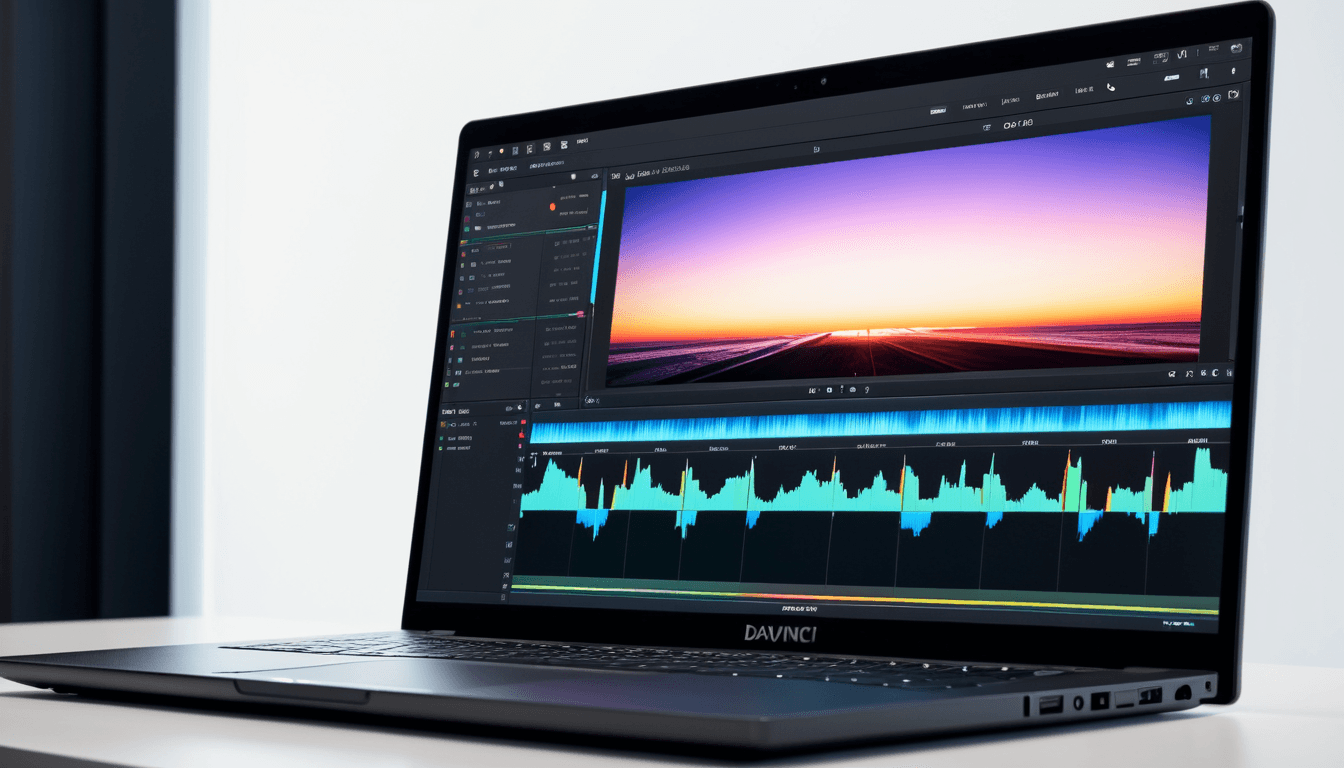
DaVinci Resolve stands out as a powerful, free tool with professional-grade capabilities. It offers advanced color correction, audio editing, and collaboration features that make it ideal for both beginners and pros.
- ✅ Free version available with full feature set
- ✅ Professional-grade color correction and audio tools
- ✅ Robust collaboration features for team projects
"DaVinci Resolve is the go-to tool for many professionals who want a free yet powerful editing experience."
CapCut , The Social Media Creator's Choice
CapCut is optimized for short-form content creation on platforms like TikTok, Instagram Reels, and YouTube Shorts. Its AI-powered tools make it easy to produce engaging videos with minimal effort.
- ✅ Mobile-first design optimized for social media
- ✅ AI-powered auto-subtitles and smart trimming
- ✅ Easy-to-use interface with minimal learning curve
"CapCut’s AI features are game-changing for content creators who want to produce polished videos quickly."
Filmora , Budget-Friendly Option with Power Features
Filmora provides a user-friendly interface with pre-built templates, transitions, and effects that are perfect for beginners or small businesses on a budget.
- ✅ User-friendly interface ideal for beginners
- ✅ Pre-built templates, transitions, and effects
- ✅ Affordable pricing with regular updates
"Filmora strikes an excellent balance between ease-of-use and functionality."
OpenShot , Open Source Excellence
OpenShot is a completely free and open-source tool that’s great for learning video editing basics without any cost.
- ✅ Completely free and open-source platform
- ✅ Simple interface but limited advanced features
- ✅ Great for learning video editing basics without cost
"OpenShot is an excellent entry point for those who want to explore video editing without financial commitment."
Canva Video Editor , Marketing & Design Integration
Canva Video Editor integrates seamlessly with Canva’s design tools, making it ideal for marketers and small businesses.
- ✅ Seamless integration with Canva’s design tools
- ✅ Template-based editing ideal for marketers and small businesses
- ❌ Limited customization compared to professional-grade tools
"If you're already using Canva for graphic design, this video editor complements your workflow perfectly."
Side-by-Side Feature Comparison Table
| Tool | Price | Compatibility | Key Features | Best For |
|---|---|---|---|---|
| DaVinci Resolve | Free/Paid | Windows, macOS, Linux | Color grading, audio editing, collaboration | Professionals, beginners |
| CapCut | Free/Paid | Mobile, Web | AI auto-subtitles, smart trimming | Social media creators |
| Filmora | Paid | Windows, macOS | Templates, effects, transitions | Hobbyists, small businesses |
| OpenShot | Free | Windows, macOS, Linux | Simple interface, basic editing | Students, beginners |
| Canva Video Editor | Free/Paid | Web, Mobile | Design integration, templates | Marketers, non-technical users |
Feature Matrix: Which Tool Wins in What Area?
Each tool excels in specific areas. DaVinci Resolve dominates color grading and professional editing, while CapCut leads in AI-powered social media tools.
Filmora offers the best value for hobbyists with its affordable pricing and feature-rich interface.
OpenShot remains a solid choice for those who prefer open-source solutions.
Canva Video Editor shines in marketing workflows where design integration is crucial.
Winner By Use Case: Choosing the Right Video Editing Software
Who Should Choose Which Tool?
- ✅ For professionals: DaVinci Resolve or Adobe Premiere Pro
- ✅ For social media creators: CapCut or Filmora
- ✅ For students and hobbyists: OpenShot or Filmora
- ✅ For marketers with design needs: Canva Video Editor
DaVinci Resolve is the most versatile and powerful option for all skill levels, but CapCut is a standout for content creators focused on social media platforms.
Frequently Asked Questions About Video Editing Software Alternatives
Can I Use These Tools on a Budget?
Yes, several options offer free tiers or low-cost plans. OpenShot and CapCut are particularly accessible for budget-conscious users.
Are These Tools Compatible with My Hardware?
Most tools support Windows, macOS, and Linux. Performance varies depending on RAM, CPU, and GPU specs.
Do I Need to Learn Advanced Features to Use These Tools?
Beginners can start with basic features; advanced tools unlock more power. Tutorials and community support are widely available.
Can I Switch Between Different Editing Software?
Yes, most tools support common file formats for seamless transitions. Some may require re-rendering or conversion steps.
What Are the Best Free Video Editing Tools in 2026?
DaVinci Resolve, OpenShot, and CapCut all offer robust free versions. Each has unique strengths depending on user needs.
The Verdict: The Best Video Editing Software for 2026
DaVinci Resolve wins overall with its powerful features, free availability, and broad compatibility across skill levels and use cases. It’s the best all-around choice for both professionals and hobbyists.
✅ Top Picks by Category:
- For Professionals: DaVinci Resolve
- For Social Media Creators: CapCut
- For Budget-Conscious Users: Filmora or OpenShot
- For Design Integration: Canva Video Editor
⭐⭐⭐⭐⭐ Overall Rating: DaVinci Resolve is the most versatile and powerful option for all skill levels.
⭐⭐⭐⭐ Half Rating: CapCut excels in social media content creation but lacks advanced features.
⭐⭐⭐ Half Rating: Filmora offers great value for hobbyists but doesn’t match professional-grade capabilities.
⭐⭐⭐⭐ Half Rating: OpenShot is excellent for learning basics but limited in scope.
⭐⭐⭐⭐ Half Rating: Canva Video Editor is ideal for marketers but not suited for complex editing tasks.
We strongly recommend trying multiple tools before committing to one. Each has its strengths, and the right choice depends on your specific needs and workflow preferences.
Affiliate Disclaimer: Some links in this article may be affiliate links. If you purchase a product through our link, we may earn a small commission at no extra cost to you.