Top XLR Podcast Microphone Deals: Best Value for Your Recording Setup
Are you looking to elevate your podcasting game? A professional-grade XLR microphone can make all the difference in audio quality, clarity, and overall production value.
Whether you're starting out or already running a successful podcast, investing in the right microphone is crucial. In this article, we’ll explore what an XLR mic is, why it’s preferred for podcasting, and recommend some of the best options currently available — including budget-friendly picks.
🎙️ Did you know? An XLR microphone uses a balanced analog audio connection that reduces noise and interference. This makes it ideal for professional recording environments.
Let’s dive in!
What Is an XLR Microphone?
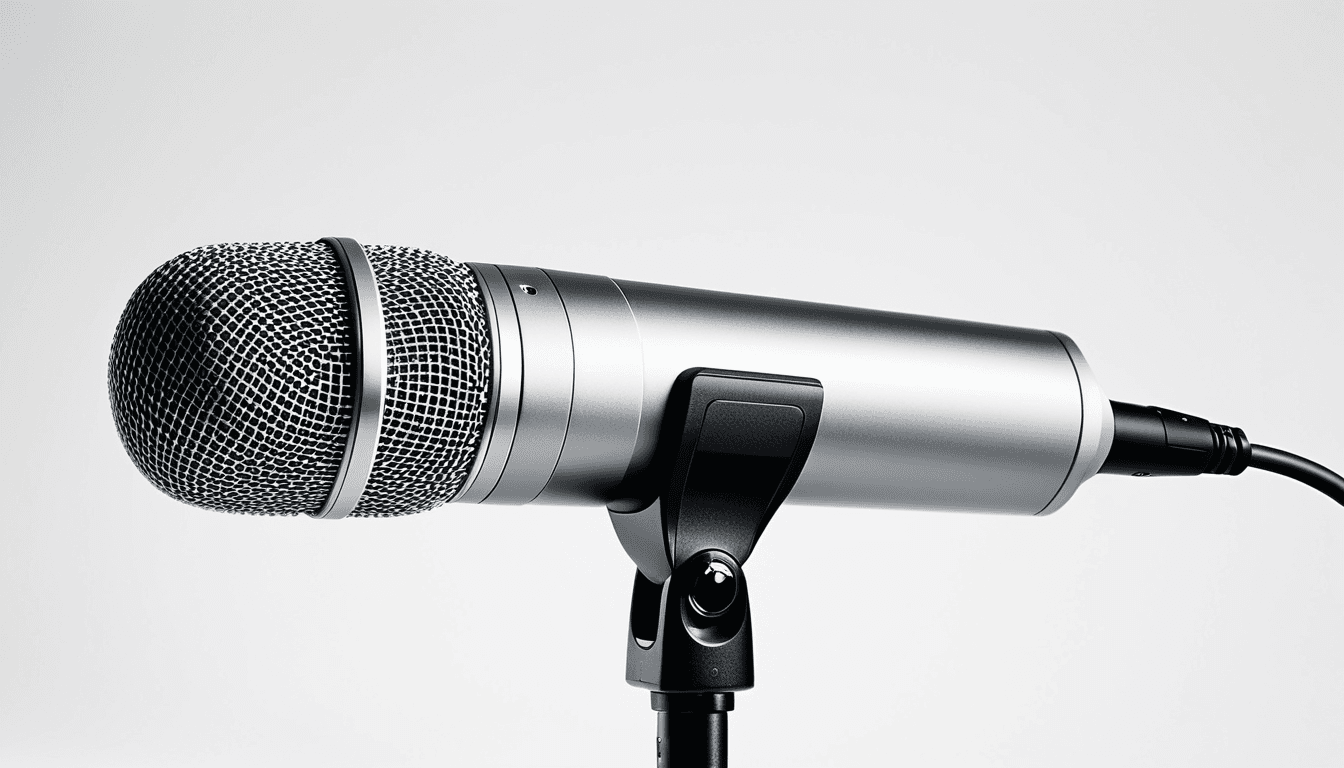
An XLR microphone is a type of professional-grade microphone that uses an XLR connector, which provides a balanced audio signal. Unlike USB mics, which convert digital signals directly to your computer, XLR mics send analog signals through cables — making them more resistant to interference and better suited for studio-quality sound.
Why Choose an XLR Podcast Mic?
When it comes to podcasting, the right equipment can transform your content. Here’s why investing in an XLR mic is a smart move:
- Superior audio quality: Less background noise and higher fidelity.
- Durability: Built for long-term use in professional settings.
- Flexibility: Compatible with a wide range of audio interfaces and mixing boards.
🔍 Tip: If you're new to podcasting, consider starting with a USB-to-XLR converter if your budget doesn't allow for an immediate full XLR setup.
Best XLR Podcast Microphones Reviewed
Below are some top-performing XLR podcast mics currently on the market. We’ve included their key features, pros, cons, and where to buy them.
1. NearStream AM25X USB & XLR Mic
https://riverside.com/blog/xlr-microphone
This is a condenser microphone, offering both USB and XLR connectivity. It’s designed for streaming, podcasting, voice-over work, and more.
Features:
- Condenser design
- Dual connectivity (USB & XLR)
- Built-in pop filter
- Adjustable gain control
- Compatible with Windows/Mac
Pros:
- Excellent for beginners
- Great value for money
- Easy plug-and-play setup
Cons:
- Not ideal for noisy environments without a pop filter
- Limited features compared to premium models
💡 Pro Tip: Use this mic in a quiet room or with proper acoustic treatment for best results.
2. MAONO XLR/USB Dynamic Microphone Kit
This dynamic microphone comes with additional accessories like RGB lighting, mute button, gain knob, and volume control — perfect for gamers, streamers, and podcasters alike.
Features:
- Dynamic mic design
- USB & XLR compatibility
- Includes boom arm and software
- Mute switch and volume controls
- RGB lighting effects
Pros:
- Great for streaming setups
- All-in-one kit with accessories
- Versatile use cases (gaming, podcasting, voice-over)
Cons:
- May be too flashy for professional podcasters
- RGB lights may not suit all branding styles
⚙️ Buying Advice: Consider the MAONO if you're looking to streamline your streaming setup with integrated controls.
3. HyperX Duocast Microphone
A budget-friendly option that still delivers solid performance for podcasters and gamers alike.
Features:
- Dynamic design
- USB & XLR output
- Built-in shock mount
- Adjustable mic stand
Pros:
- Affordable price point
- Good build quality
- Ideal for beginners or home studios
Cons:
- Slightly lower sensitivity than condenser mics
- No dedicated software support
🛠️ Note: This mic works great for casual podcasters who don’t need top-tier studio-level audio.
4. Starcom Microphone Features
While not a specific model, Starcom offers several XLR podcast microphones known for their reliability and performance.
Features:
- Professional-grade construction
- Balanced XLR output
- Low noise floor
Pros:
- Trusted brand in audio equipment
- Long-term durability
Cons:
- Not always available at competitive prices
- May require additional accessories for full functionality
🔧 Buying Tip: Look for Starcom models with included pop filters or shock mounts when shopping.
How to Choose the Right XLR Podcast Mic for You
Choosing a microphone depends on your needs and budget. Here’s how to make an informed decision:
1. Determine Your Budget
- Budget: $50–$150 – Look at USB/XLR converters or entry-level dynamic mics like HyperX Duocast.
- Mid-range: $150–$300 – Consider MAONO kits or NearStream AM25X.
- Premium: $300+ – Explore condenser models from established brands.
2. Identify Your Use Case
| Use Case | Recommended Mic Type |
|---|---|
| Podcasting | Condenser or dynamic XLR |
| Streaming | Dynamic XLR with USB |
| Voice-over | Condenser mic |
| Gaming | Dynamic XLR or hybrid |
3. Check Compatibility
Make sure your microphone works with your existing audio interface, mixer, or computer.
📌 Important: Always double-check that the mic has the right connector (XLR) and compatible power source if needed.
What You Need to Know About XLR Microphones
How Do XLR Mics Work?
XLR mics use a balanced signal transmission — meaning they carry two signals that are mirror images of each other. Noise picked up along the cable cancels out, resulting in cleaner audio.
Why Are They Preferred for Podcasting?
Because they’re designed to reduce interference and deliver high-fidelity sound, XLR mics are the gold standard for podcasters who want professional results.
Do You Need an Audio Interface?
Yes — if you're using a standard XLR mic, you’ll need an audio interface that converts the analog signal into digital format for your computer. However, some newer models offer USB connectivity as well.
🧰 Tip: If you’re unsure about buying an audio interface, consider starting with a hybrid mic like the NearStream AM25X or MAONO kit — these give you both XLR and USB options.
Budget vs. Premium: What to Expect
| Feature | Budget Mic | Premium Mic |
|---|---|---|
| Price | $50–$150 | $300+ |
| Audio Quality | Good for casual use | Studio-grade |
| Build Quality | Basic components | Durable materials |
| Connectivity | USB or XLR | Full XLR + USB support |
| Accessories Included | Minimal | Often includes stand, pop filter, etc. |
Buying Advice: Tips to Avoid Regret
- Research before buying – Read user reviews and watch demo videos.
- Consider your space – A quiet room helps any mic perform better.
- Check for compatibility – Ensure it works with your setup (e.g., audio interface, software).
- Don’t skimp on accessories – Pop filters, shock mounts, and stands enhance performance.
- Think long-term – Invest in something that will grow with you as your podcast evolves.
🛒 Pro Tip: Many retailers offer bundle deals or discounts for multi-item purchases — especially if you’re buying a mic and accessories together.
FAQs About XLR Podcast Mics
Q1: What is the difference between XLR and USB microphones?
XLR mics are analog, meaning they send raw audio signals that require an audio interface to convert them for computers. USB mics, on the other hand, do the conversion internally.
Q2: Do I need a preamp with an XLR mic?
Yes — most XLR mics need phantom power from a mixer or audio interface to function properly.
Q3: Can I use an XLR mic for streaming?
Absolutely! Many streamers prefer XLR mics for their superior sound quality and professional feel.
Q4: Are budget XLR microphones worth it?
Yes, especially if you’re just starting out. Models like the HyperX Duocast offer solid performance at a fraction of the cost of premium ones.
Q5: What’s the best USB to XLR converter?
Some popular options include:
- M-Audio USB to XLR Converter
- Focusrite Scarlett Solo (USB)
- PreSonus AudioBox USB 96
📌 Note: These converters allow you to connect XLR mics to computers that only have USB ports.
Final Thoughts: The Right Mic for Your Podcast
Choosing the right XLR podcast mic can significantly impact how your listeners perceive your content. Whether you're a beginner or an experienced podcaster, it's important to choose a mic that suits both your budget and technical requirements.
From affordable options like the HyperX Duocast to more advanced choices like the NearStream AM25X, there’s a microphone out there for every need and budget.
If you’re looking to upgrade your podcast setup or start fresh, investing in a quality XLR mic is one of the best decisions you can make.
📣 Final Recommendation: Start with a reliable mid-range option like the MAONO kit or NearStream AM25X, and upgrade as your needs grow.
🔗 Product Links for Reference:
Disclaimer: As an affiliate, we may earn a small commission from qualifying purchases made through links in this article.