Ultimate Network Switch Buying Guide: Top 5 Brands for Home and Office Networks
In today’s connected world, a reliable and efficient network switch is crucial for both home and office environments. Whether you're setting up a small home network or managing an enterprise-level infrastructure, understanding how to choose the right network switch can make all the difference in performance, security, and scalability.
We’ve compiled this comprehensive guide to help you navigate the various types of switches available, understand their features, compare top brands, and make informed purchasing decisions. Let’s dive in!
What Is a Network Switch?
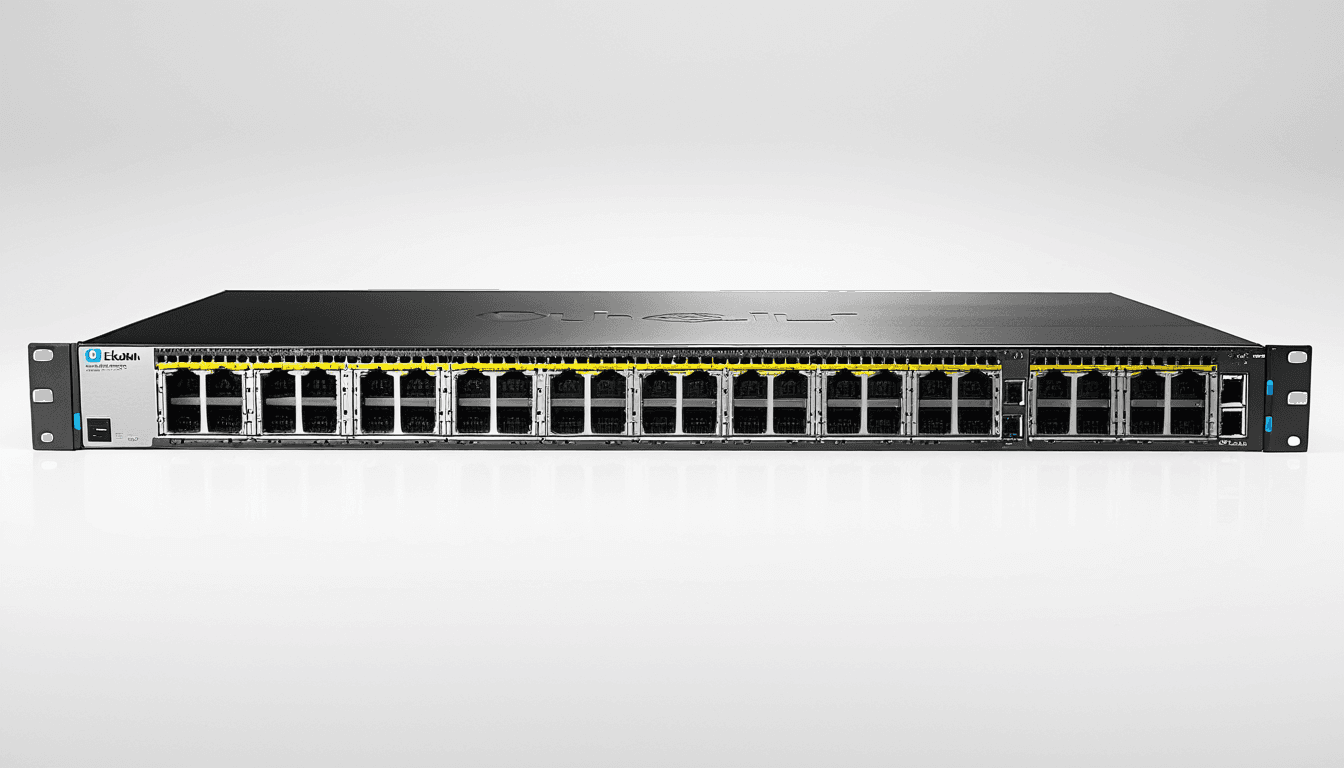
A network switch (also known as a switching hub or Ethernet switch) is a networking device that connects multiple devices on a computer network by using packet switching to receive and forward data to the destination device.
"A network switch operates at Layer 2 of the OSI model, using MAC addresses to direct traffic between connected devices."
At its core, a switch enables communication between devices like computers, printers, smartphones, and more within a local area network (LAN). Unlike older shared-media technologies such as hubs, switches create dedicated paths for each device, eliminating collisions and improving overall network performance.

The evolution of the network switch dates back to 1983 when Mark Kempf, an engineer at Digital Equipment Corporation (DEC), invented the first MAC Bridge. This innovation transformed Ethernet from a shared-access medium into a point-to-point form without collision domains.
For more information about the history and technical details of network switches, check out the official Wikipedia page.
How Does a Network Switch Work?
A network switch works by receiving data packets from one device and forwarding them to the intended recipient based on MAC addresses. It maintains a table of known MAC addresses and their corresponding ports, allowing it to make intelligent forwarding decisions.
Key Functions:
- Packet Forwarding: Identifies where to send incoming packets
- Collision Domain Isolation: Ensures no two devices transmit simultaneously
- Bandwidth Allocation: Provides dedicated bandwidth per connected port
Some switches also support Layer 3 routing capabilities, making them capable of handling IP-level traffic as well.
Types of Network Switches
There are several types of network switches depending on your needs. Here’s a breakdown:
1. Unmanaged Switches
Unmanaged switches are plug-and-play devices that require no configuration. They’re ideal for small home or office setups where simplicity is preferred over advanced features.
Pros:
- Easy to set up and use
- Cost-effective
- No need for technical knowledge
Cons:
- Limited customization options
- No QoS or VLAN support
- Not scalable for large networks
2. Managed Switches
Managed switches offer full control over network settings, including port security, Quality of Service (QoS), VLANs, and more.
Pros:
- Advanced configuration options
- Better security features
- Scalable and customizable
Cons:
- Steeper learning curve
- Higher cost
- Requires IT expertise
3. Layer 3 Switches
These switches combine the functionality of a Layer 2 switch with routing capabilities, enabling inter-VLAN communication.
Pros:
- Built-in routing features
- Improved network segmentation
- Efficient handling of large networks
Cons:
- More expensive than regular switches
- Complex setup for non-experts
Gigabit Ethernet: Why It Matters
Gigabit Ethernet refers to a standard that provides network speeds up to 1 Gbps (1000 Mbps). As internet speeds continue to increase, having a switch that supports gigabit Ethernet ensures your network can keep up with modern demands.
Most modern network switches support Gigabit Ethernet ports, but older models may only offer Fast Ethernet (100 Mbps) or even older standards like 10 Mbps.
When choosing a switch, look for:
- At least one gigabit port if you plan to connect high-speed devices
- Multiple gigabit ports for multiple high-bandwidth users
- Auto-negotiation capabilities for seamless compatibility
Top 5 Network Switch Brands
Here are the leading brands in the network switch market, each offering distinct advantages based on user needs.
1. Cisco
Cisco is a globally recognized leader in networking technology and offers robust enterprise-grade switches.
Pros:
- Strong reliability and performance
- Extensive security features
- Wide range of managed switches for different environments
Cons:
- High price point
- Overkill for small businesses or homes
"Cisco switches are trusted by enterprises worldwide due to their reliability and scalability."
2. TP-Link
TP-Link is known for offering affordable yet functional networking solutions, especially popular among home users.
Pros:
- Budget-friendly options
- User-friendly interfaces
- Good customer support
Cons:
- Limited advanced features in lower-tier models
- Not ideal for heavy enterprise use
3. Netgear
Netgear provides a balance between functionality and affordability, with both consumer and business-grade products.
Pros:
- Solid performance
- Good value proposition
- Strong online resources and firmware updates
Cons:
- Some models lack advanced QoS features
- Not as customizable as Cisco
4. D-Link
D-Link offers a variety of switches, from basic unmanaged to more complex managed units.
Pros:
- Wide selection across price ranges
- Decent build quality
- Compatible with many operating systems
Cons:
- Firmware issues reported in some models
- Fewer enterprise-level features compared to Cisco or Netgear
5. Ubiquiti (UniFi)
Ubiquiti is a favorite among IT professionals and small businesses looking for scalable, reliable solutions.
Pros:
- Highly customizable
- Strong management tools
- Excellent performance
Cons:
- Requires technical knowledge to fully utilize
- More expensive than budget alternatives
Buying Advice: Choosing the Right Network Switch
Choosing the right network switch depends on your specific use case. Below are key considerations to guide your decision:
Determine Your Needs
Before purchasing, assess how many devices you’ll be connecting and what kind of data will flow through your network.
- Home Users: Typically need fewer ports (4–8) and basic features.
- Small Office: May require more ports and possibly managed features for better control.
- Large Enterprise: Will benefit from advanced features like VLANs, QoS, and Layer 3 routing.
Port Count and Speed
Ensure your switch has enough ports to accommodate current and future needs. Also, verify that it supports the speed you require:
| Requirement | Recommended Port Speed |
|---|---|
| Basic home use | 100 Mbps |
| Home with high-speed devices | Gigabit Ethernet (1 Gbps) |
| Office environment | Gigabit or higher |
Managed vs Unmanaged
- Choose unmanaged switches if you want ease of setup and don’t need advanced control.
- Opt for managed switches if you require fine-grained control, security features, or scalability.
Future Expansion
Consider whether your network might grow. If so, invest in a switch with room to expand.
"Don’t forget to check if the switch supports future upgrades like PoE or fiber connectivity."
FAQs About Network Switches
What is the difference between a hub and a switch?
A hub broadcasts data to all connected devices, which can lead to collisions and reduced performance. In contrast, a switch intelligently forwards data only to the intended recipient, reducing network congestion.
How many ports do I need in a network switch?
This depends on how many devices you plan to connect. For example:
- A home office might need 4–8 ports
- A small business could benefit from 16 or more ports
Are managed switches worth it?
Managed switches are beneficial if you require advanced features like QoS, VLANs, or enhanced security. For simple setups, unmanaged switches suffice.
Can I use a switch with wireless routers?
Yes! You can connect your network switch directly to a wireless router using an Ethernet cable. This setup improves wired connections for devices that support them.
What does gigabit Ethernet mean?
Gigabit Ethernet allows network speeds up to 1 Gbps (1000 Mbps). It’s essential for high-speed internet usage and large file transfers.
Conclusion
Choosing the right network switch is a critical step in building a stable, fast, and secure network. Whether you’re upgrading your home setup or managing a business infrastructure, understanding the differences between managed and unmanaged switches, knowing what to look for in gigabit Ethernet compatibility, and selecting a brand that fits your budget and needs are essential.
By following this guide, you’ll be well-equipped to select a switch that not only meets today’s demands but also adapts to future growth. From affordable options like TP-Link to enterprise-grade solutions from Cisco, there’s a network switch out there for every scenario.
"A good network switch is the backbone of any successful network – invest wisely and enjoy seamless connectivity for years to come."
Final Recommendations
| Use Case | Recommended Switch Type |
|---|---|
| Home Office | Unmanaged or budget managed |
| Small Business | Managed switch with 8–16 ports |
| Large Enterprise | High-end managed or Layer 3 |
Make sure to consider your future expansion plans and prioritize features that align with your network goals. Happy switching!