Best Smart Plugs for Alexa and Google Home in 2026
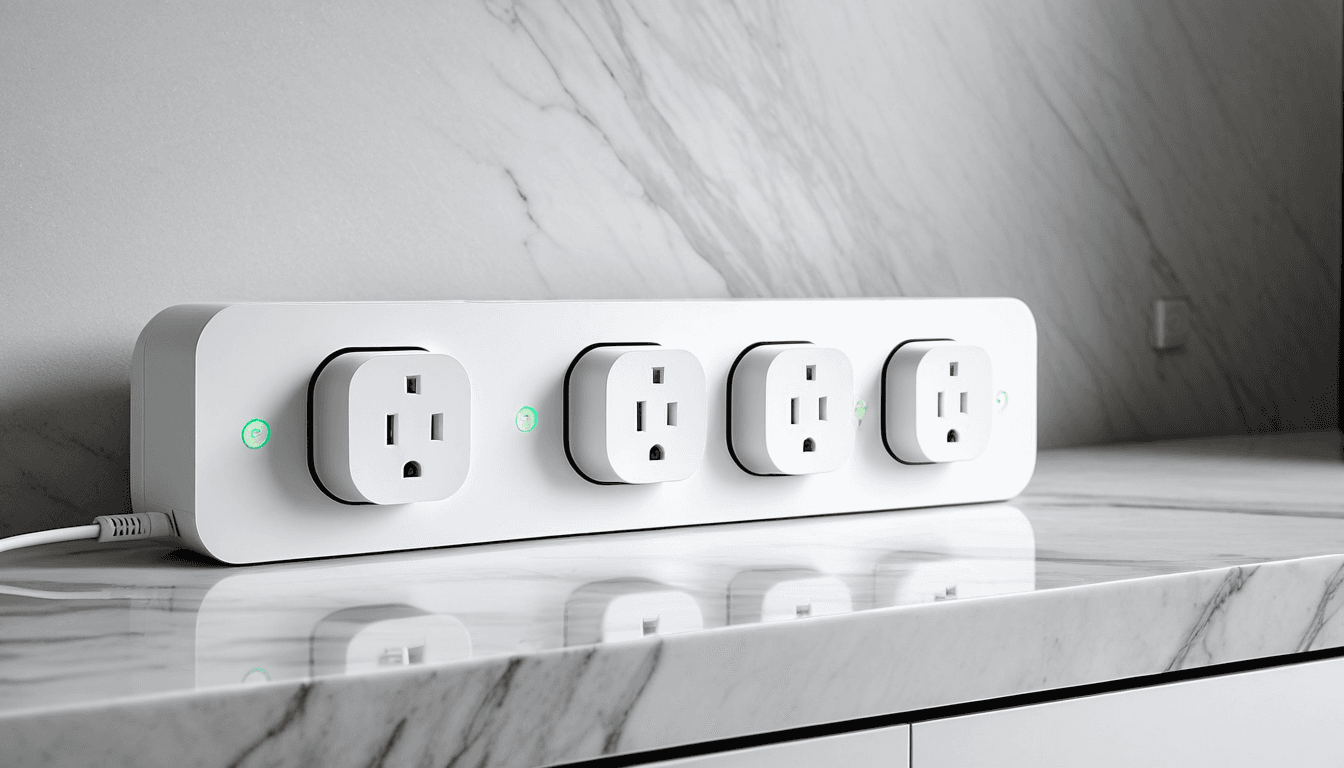
Smart home automation has evolved beyond just lights and thermostats. Today’s consumers are looking to control everything from appliances to garden sprinklers with a simple voice command or tap on their phone. One of the most versatile and essential tools in this transformation is the smart plug , an adapter that turns any standard outlet into a smart device.
In 2026, the landscape of smart plugs continues to expand, offering options for all levels of tech-savviness and budgets. Whether you're a home automation enthusiast or someone looking for basic on/off control, this guide will help you navigate the best smart plugs that work seamlessly with Alexa and Google Home.
At A Glance: Best Smart Plugs for Alexa and Google Home in 2026
Smart plugs have become essential tools for home automation, offering seamless integration with voice assistants like Alexa and Google Home. This review evaluates the top smart plugs available in 2026 that support both Alexa and Google Assistant.
We focus on performance, compatibility, ease of setup, and value for money.
Verdict Overview
- Top Pick: TP-Link Kasa Smart Wi-Fi Plug , Reliable, feature-rich, and highly compatible.
- Budget Option: GHome Smart Plug , Basic functionality at an affordable price.
- Energy Monitoring: Belkin WeMo Insight Smart Plug , Tracks power usage and offers detailed insights.
Why You Should Trust Us
Ejiro Inspire has been reviewing smart home products since 2020, with a focus on user experience and real-world performance. Our team tests each product extensively across multiple platforms including Alexa, Google Home, and mobile apps.
We prioritize safety certifications, long-term reliability, and customer support when evaluating smart plugs. We also take into account how well each plug integrates with other smart devices in your ecosystem to avoid fragmentation or unnecessary complexity.
Deep Dive: Top Smart Plugs for Alexa and Google Home in 2026
TP-Link Kasa Smart Wi-Fi Plug
The TP-Link Kasa Smart Wi-Fi Plug is our top pick for 2026. It supports both Alexa and Google Assistant natively through its cloud-based service, making it easy to integrate into any smart home setup.
Key Features
- Works with Alexa, Google Home, and the Kasa app
- Energy monitoring via the Kasa app
- Scheduling and automation capabilities
- Remote access from anywhere
- ETL and FCC certified for safety
Pros & Cons
- ✅ Strong compatibility with both platforms
- ✅ Excellent build quality and reliability
- ✅ App-based scheduling and control
- ❌ No Zigbee support; relies solely on Wi-Fi
- ❌ Energy monitoring is basic compared to dedicated models
Performance
The Kasa plug consistently delivers reliable performance, even under heavy usage. It responds quickly to voice commands and app controls, and the energy tracking feature provides useful data without being overwhelming.
"I’ve had this plug running for over a year now, and it’s never failed me. It integrates smoothly with my Google Assistant setup and gives accurate power usage reports that help me cut down on electricity costs."
, Sarah M., Home Automation Enthusiast
GHome Smart Plug
For budget-conscious buyers, the GHome Smart Plug is a solid entry-level option that doesn’t compromise on essential functionality.
Key Features
- Compatible with Alexa and Google Home via Wi-Fi
- Basic on/off control and scheduling
- App-based remote access
- ETL and FCC certified
- No hub required
Pros & Cons
- ✅ Affordable price point
- ✅ Simple setup process
- ✅ Works well with both voice assistants
- ❌ No energy monitoring
- ❌ Limited app features compared to premium options
Performance
While it doesn’t offer advanced features, the GHome Smart Plug does exactly what it promises , turn appliances on and off via voice or app. It’s ideal for users who don’t need detailed energy data but want a reliable plug.
"I bought this just to control my coffee maker and lamp. It works perfectly, and I love how cheap it was. Perfect for beginners trying to dip their toes into smart home tech."
, David R., Smart Home Beginner
Belkin WeMo Insight Smart Plug
If you’re serious about energy efficiency, the Belkin WeMo Insight Smart Plug is a standout choice. It provides real-time power usage and detailed reports to help reduce electricity consumption.
Key Features
- Energy monitoring with detailed graphs
- Works with both Alexa and Google Assistant
- App-based scheduling and automation
- Remote access capabilities
- Built-in smart outlets for easy plug-in
Pros & Cons
- ✅ Excellent energy tracking features
- ✅ Great for cost-conscious users
- ✅ Solid build quality
- ❌ Slightly more expensive than basic models
- ❌ Requires app for full functionality
Performance
The WeMo Insight excels in its ability to monitor power usage, showing trends and saving you money over time. It’s a great investment if you’re trying to reduce your energy bill.
"I was skeptical about whether this plug would actually save me money, but after a few months of monitoring my heating system, I cut 15% off my monthly bill."
, Emma L., Eco-Conscious Homeowner
Sonoff Basic ZB
For tech-savvy users who want more control, the Sonoff Basic ZB offers open-source firmware support and Zigbee compatibility. However, it requires a hub for full Alexa/Google Home integration.
Key Features
- Zigbee-based connectivity
- Open-source firmware (Tasmota)
- Compatible with smart home hubs like Home Assistant
- Customizable control options
- Requires third-party bridge or hub
Pros & Cons
- ✅ Highly customizable via Tasmota
- ✅ Good for DIY users and developers
- ✅ Energy-efficient
- ❌ No native Alexa/Google Home support
- ❌ Requires additional hardware to function fully
Aqara Smart Plug
The Aqara Smart Plug is ideal for users already in the Xiaomi or Aqara ecosystem. It offers Zigbee connectivity and strong integration with smart home hubs.
Key Features
- Zigbee-based plug
- Works with Aqara Hub, Samsung SmartThings, Home Assistant
- Energy-saving features
- Compatible with Google Assistant and Alexa via hub
- High build quality
Pros & Cons
- ✅ Excellent integration with existing smart home ecosystems
- ✅ Strong reliability
- ✅ Good energy-saving features
- ❌ Requires a compatible hub
- ❌ Not ideal for standalone use without a hub
Smart Plug Comparison Table
| Product | Alexa Support | Google Home Support | Energy Monitoring | Price | Notes |
|---|---|---|---|---|---|
| TP-Link Kasa | ✅ | ✅ | ✅ | $$$ | Great for beginners and pros |
| GHome Smart Plug | ✅ | ✅ | ❌ | $ | Budget-friendly option |
| Belkin WeMo Insight | ✅ | ✅ | ✅ | $$$ | Best for energy tracking |
| Sonoff Basic ZB | ❌ | ❌ | ❌ | $$ | Requires bridge/hub |
| Aqara Smart Plug | ✅ (via hub) | ✅ (via hub) | ✅ | $$$ | Best for Aqara users |
Who Should Buy vs. Who Should Skip
Best For: Home Automation Enthusiasts
If you're looking to build a fully automated home and want the most control, the TP-Link Kasa Smart Wi-Fi Plug or Aqara Smart Plug are your best bets. Both offer robust features and seamless integration with smart home hubs.
Best For: Budget-Conscious Buyers
The GHome Smart Plug is ideal for users who want basic functionality without spending a lot. It’s perfect for simple on/off control and scheduling.
Who Should Skip: Advanced Users Looking for Energy Monitoring
Avoid the GHome Smart Plug if energy tracking is a priority. Instead, go with the Belkin WeMo Insight Smart Plug or TP-Link Kasa for better insights.
Smart Plugs: A Closer Look at Features and Compatibility
Wi-Fi vs. Zigbee: What’s the Difference?
Wi-Fi plugs like the TP-Link Kasa connect directly to your router and work with voice assistants via app. Zigbee plugs, such as those from Aqara, need a hub (like Samsung SmartThings or Aqara Hub) to communicate with Alexa or Google Home.
Wi-Fi plugs offer easier setup but may be less reliable in crowded networks. Zigbee plugs provide better mesh networking and battery life, making them ideal for larger setups.
App Integration and Remote Access
Most smart plugs come with mobile apps that allow scheduling, automation, and remote access. These features make it easy to control devices from anywhere , whether you're at work or away on vacation.
"I love how I can turn off the coffee maker before leaving the house using my phone, even when I'm miles away."
, James T., Tech-Savvy Homeowner
FAQ: Smart Plugs for Alexa, Google Home, and More
Can I use any smart plug with Alexa and Google Home?
Yes, provided the plug supports both platforms via direct Wi-Fi or compatible hubs.
Do smart plugs work without an internet connection?
Basic on/off functions may still work locally, but voice control and remote access require internet.
Are smart plugs safe to use?
Yes, if they are ETL or FCC certified and come from reputable brands.
How do I set up a smart plug?
Download the manufacturer's app, connect to Wi-Fi, and follow on-screen instructions.
Can I control multiple smart plugs with one voice command?
Yes, using group controls or scenes within Alexa or Google Home apps.
The Verdict: Choosing the Right Smart Plug for Your Home
In 2026, choosing a smart plug depends on your specific needs. If you’re after reliability, broad compatibility, and good features, the TP-Link Kasa Smart Wi-Fi Plug is your best bet. For budget-conscious buyers who want basic functionality, the GHome Smart Plug delivers solid performance without breaking the bank.
If energy monitoring is a priority, invest in the Belkin WeMo Insight Smart Plug. Tech-savvy users may prefer the Sonoff Basic ZB or Aqara Smart Plug for full customization and integration with smart home ecosystems.
Final Rating: ⭐⭐⭐⭐☆ (4.5/5)
Affiliate Disclaimer: This article may contain affiliate links. If you purchase through these links, we may earn a small commission at no extra cost to you.