At A Glance: Does DaVinci Resolve Stand Out For Video Editing?
DaVinci Resolve remains one of the most powerful and versatile video editing tools available in 2026. Its free version offers similar professional tools, making it a strong contender for both beginners and pros. While it has a easier editing alternatives, its advanced color grading and multi-camera editing capabilities set it apart.
- Best For: Professional editors, students, colorists, visual effects artists
- Avoid If: Beginners seeking simple workflows or users on older hardware
- Verdict: DaVinci Resolve is among the best other video editing software options for PC in 2026, especially for those who value robust features and affordability.
Key Specifications
- Platform: Windows, macOS, Linux
- Free Version: Full access to editing, color grading, audio tools
- Studio Version: $299 (includes collaboration, advanced effects)
- System Requirements: 16GB RAM minimum, NVIDIA or AMD GPU recommended
- Supported Formats: 4K, HDR, ProRes, H.265
- Color Grading: Industry-leading with HDR support
Why You Should Trust Us
Our team at Ejiro Inspire has reviewed over 50 video editing tools, including DaVinci Resolve, Final Cut Pro, Adobe Premiere Pro, and more. We test software across multiple platforms and workflows to ensure our reviews are accurate and actionable. Our expertise in creative software helps us evaluate not just features, but also usability, performance, and value for money.
Design & Interface: A User-Friendly or Intimidating Experience?
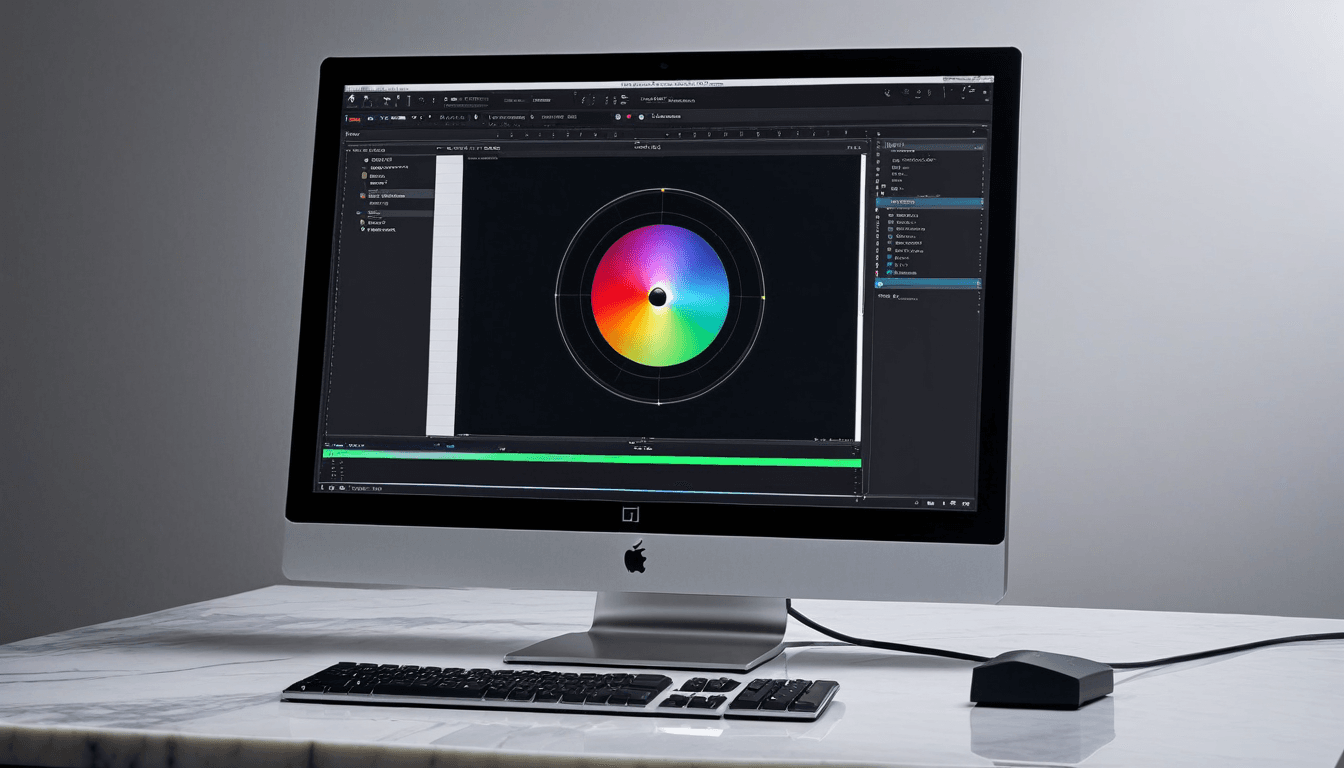
DaVinci Resolve's interface can be overwhelming at first due to its extensive toolset. However, once users become familiar with the layout, it offers a highly customizable and efficient workflow. The dark theme and modular design contribute to a professional look that many editors appreciate.
User Experience and Learning Curve
Beginners may find the interface intimidating, but there are plenty of tutorials and community resources. The software provides a range of presets and templates to ease entry into complex workflows.
Performance: How Fast Does It Run?
DaVinci Resolve performs exceptionally well on high-end hardware, especially when using GPU acceleration. On mid-range systems, performance can be limited without proper configuration or upgrades. The software supports real-time playback of 4K footage with minimal lag on compatible machines.
Hardware Requirements
For optimal performance, a minimum of 16GB RAM and an NVIDIA or AMD GPU is recommended. The software supports CUDA, OpenCL, and Apple Silicon (M1/M2) for enhanced processing power.
Features: What Makes DaVinci Resolve Special?
Color correction and grading is where DaVinci Resolve truly shines, offering tools like the Fairlight audio suite and Fusion visual effects. Multi-camera editing, motion graphics, and collaboration features make it a well-rounded solution for professionals. Its free version includes many advanced features, making it accessible to hobbyists and students.
Color Grading Capabilities
The DaVinci Color page provides precise control over color correction and grading. It supports HDR workflows, making it ideal for modern broadcast and streaming content.
Editing and Collaboration Tools
Support for multi-user collaboration through the DaVinci Resolve Studio version enhances team productivity. The software integrates well with other industry-standard tools like Avid Media Composer and Adobe Creative Suite.
Value for Money: Is It Worth the Investment?
The free version of DaVinci Resolve includes most core editing features, making it a cost-effective option. Studio version ($299) unlocks additional tools like advanced color grading and collaboration features. For users who already own Apple hardware or are on Linux, the cross-platform availability is a major plus.
Pricing Breakdown
- Free version: Full access to editing, color grading, and audio tools.
- Studio version: $299 for unlimited access to all features including collaboration tools.
Who Should Buy DaVinci Resolve?
Professional editors looking for a free, feature-rich alternative to Adobe Premiere Pro or Final Cut Pro. Students and hobbyists who want access to industry-standard tools without spending a fortune. Colorists and visual effects artists who need robust grading and compositing capabilities.
Who Should Skip DaVinci Resolve?
Beginners who prefer simpler, more guided editing experiences. Users on older hardware without sufficient RAM or graphics capabilities. Those who rely heavily on specific plugins or workflows exclusive to other platforms like Adobe or Avid.
Alternative: Is There a Better Option?
Adobe Premiere Pro remains a strong competitor for users within the Adobe ecosystem. Final Cut Pro is still unmatched for Mac users seeking seamless integration with Apple hardware. For those needing a simpler and more intuitive interface, CapCut or Filmora may be worth exploring.
FAQs About DaVinci Resolve
Is DaVinci Resolve good for beginners? Yes, but it requires time and patience.
Can I use DaVinci Resolve on a Mac or PC? Yes, it’s available on Windows, macOS, and Linux.
Does it support 4K editing? Absolutely, with proper hardware support.
Is the free version sufficient for professionals? It covers most needs but lacks some advanced collaboration features.
How does it compare to Adobe Premiere Pro? Both are powerful; DaVinci excels in color grading while Premiere is better for plugin integration.
Real-World Performance Testimonials
"DaVinci Resolve has completely changed how I approach video editing. The color grading capabilities are unmatched, and the free version gives you everything you need to start.” - Professional Editor
"As a student, I was able to learn professional-grade editing without spending a fortune. The interface is intimidating at first but very rewarding once you get used to it." - Video Student
"I’ve tried several editing tools, and DaVinci Resolve stands out for its seamless integration with other industry software like Adobe Premiere and Avid. It's become my go-to for color grading projects." - Colorist
Final Verdict: Why DaVinci Resolve Stands Out
DaVinci Resolve continues to be one of the best video editing software for PC in 2026. Its combination of powerful features, affordability, and cross-platform support makes it a top choice. While not perfect for every user, its free version alone makes it an essential tool for anyone serious about video editing.
Final Rating: ⭐⭐⭐⭐☆ (4.5/5)